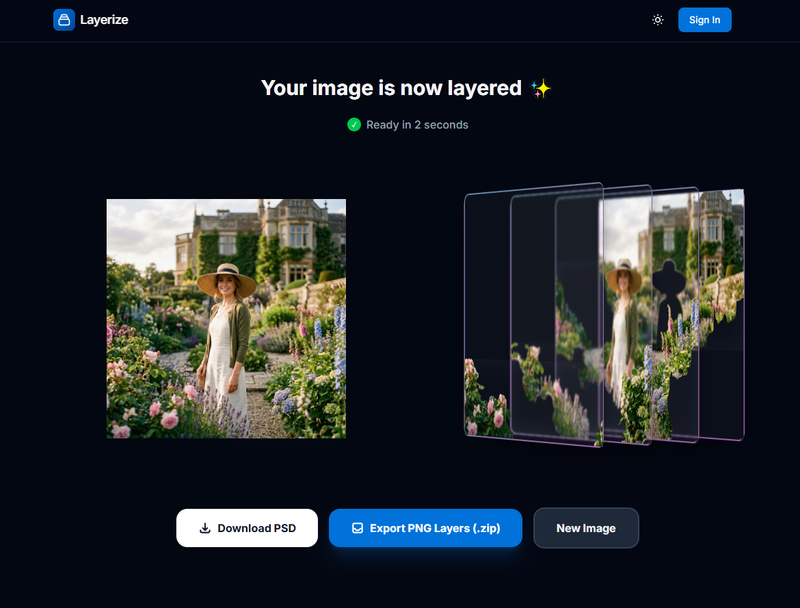
Layerize is an on-device AI tool that turns a flat photo into a layered PSD file in roughly five seconds, producing editable Photoshop layers without manual cutouts.
What is Layerize?
Layerize takes an uploaded photo and returns a layered PSD file, so subjects and background elements arrive as separate, individually editable layers instead of a flattened image. Processing runs inside the browser using WASM and WebGPU, meaning the high-resolution source is handled in local memory rather than on a server. The documented workflow ends in Photoshop, where the exported PSD is opened for further editing. The same site also ships Layerize Video, Video BG Removal, and an Image Upscaler.
What makes Layerize stand out?
- Local-first processing — images are processed entirely within browser memory using WASM and WebGPU; the page states images never touch Layerize servers.
- Layered PSD output — the result is a PSD with separated layers, not a flattened PNG or a one-off cutout mask.
- Five-second turnaround — the headline claim is a layered PSD in about five seconds, with 30 to 60 minutes saved per image versus manual cutouts.
- Direct Zip/PSD file access — the browser reads and writes Zip and PSD files directly, so no upload round-trip is required.
- Photoshop-ready handoff — step three of the published flow is editing the exported PSD in Photoshop.
- Privacy positioning — GDPR/privacy compliance is stated as a consequence of on-device processing.
- Companion tools — Layerize Video, Video BG Removal, and Image Upscaler extend the same on-device approach to video and upscaling.
Who should use Layerize?
- Graphic designers: prepare layered PSDs for poster and typography work, such as placing bold Swiss-style type behind trees and mountain ridges instead of hand-masking them.
- Photo retouchers and composite artists: separate figures, landscapes, and architecture for surreal composites without losing hours to hair and foliage masking.
- Agency production teams: cut Photoshop prep time on rush deadlines while keeping client images off third-party servers.
- Motion and social designers: split a still photo into layers to build 2.5D pop-out graphics and parallax loops for social campaigns.
How does Layerize work?
The published flow has three steps: upload your image, get the layered PSD instantly, then edit in Photoshop. All of it happens in the browser — the site states processing uses WASM and WebGPU inside browser memory with direct file access to Zip/PSD, so high-resolution files are not uploaded to Layerize servers at any stage.
FAQ
Does Layerize upload my images to a server?
No. Layerize describes a strictly local-first architecture in which images are processed inside your browser's memory using WASM and WebGPU and never reach its servers. Direct file access to Zip and PSD files means the layered output is generated on your own device as well.
What exactly do I get from Layerize?
A layered PSD file generated from a single uploaded photo, with elements separated so each can be edited on its own. The page advertises the conversion as taking about five seconds and saving 30 to 60 minutes per image compared with manual cutout work.
Do I need Photoshop to use the output?
Photoshop is the documented destination — step three of the workflow is "Edit in Photoshop" — but Layerize outputs a standard layered PSD file, a format that layer-aware image editors generally support.
What other tools does Layerize offer?
Alongside the photo-to-PSD converter, the site lists Layerize Video, Video BG Removal, and an Image Upscaler, extending the same browser-based, on-device processing to video background removal and image upscaling.