
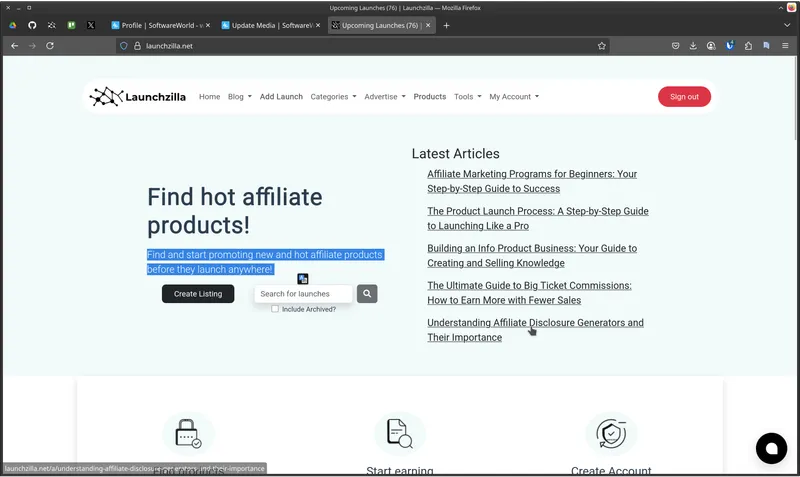
Launchzilla is a free web-based launch calendar and affiliate product directory that helps affiliate marketers and product creators discover, track, and promote upcoming product launches before they go live.
What is Launchzilla?
Launchzilla is a launch calendar and affiliate directory that displays product launches from networks such as WarriorPlus and JVZoo. It takes vendor-submitted launch information—product name, vendor, commission amount and percentage, network, niche, and launch date—and presents it in a chronological, filterable list. The platform runs as a website at launchzilla.net and includes a “Create Listing” form for vendors to add their own products.
Key Features
- Upcoming launch calendar — A chronological list of launches with exact dates and times, such as Local Alchemist AI on Aug 04 at 11:00 AM.
- Commission details on each card — Each listing shows the estimated commission and payout percentage; for example, Local Alchemist AI offers roughly $13, with $27 at 50% conversion.
- Network and niche filters — Clickable tags for networks (WarriorPlus, JVZoo) and niches (Affiliate Marketing, Local, Software, Video, Bizopp, Other) let you narrow the list.
- Archived toggle — The “Include Archived?” checkbox allows you to view past launches alongside upcoming ones.
- Vendor listing form — A Create Listing page lets product creators submit their launch with commission structure, network, and date.
- Featured launch section — A highlighted placement for a single product, currently “The OLSP System” by Wayne Crowe.
- Blog and educational content — Articles cover marketing topics like Pinterest for digital products and SEO for launch pages.
- Community support — A Facebook group invites affiliates and vendors to join discussions.
Who is it for?
- Affiliate marketers — Find products in their niche (e.g., software on WarriorPlus) before launch day so they can prepare promotions and share affiliate links first.
- Product creators and vendors — List their upcoming launches on the Create Listing page to get visibility among affiliates looking for new offers.
- Launch strategists — Track the launch calendar to see what competitors are releasing, what commissions are typical, and which networks are favored in specific niches.
What can you do with Launchzilla?
- Affiliate marketers: Browse the upcoming calendar to spot products with high commissions, like AI Insta Friend (JVZoo, roughly $18 per sale), and plan content ahead of the launch date.
- Vendors: Submit your own product details via the Create Listing link, specifying commission rate and network to attract affiliates before launch.
- Market researchers: Toggle archived launches and compare network and niche tags to see which types of products appear frequently and which networks carry the most launches.
How does Launchzilla work?
Vendors use the Create Listing form to submit product information. The homepage then displays these launches in chronological order, with clickable network and niche tags for filtering. Affiliates can check “Include Archived?” to view past entries and click a product card to reach the individual launch page.
Pricing
Launchzilla is free to browse. No pricing plans or premium tiers are mentioned on the homepage.
FAQ
Is Launchzilla free to use?
Yes, Launchzilla is free to browse. The homepage displays upcoming launch listings, blog posts, and network tags without requiring an account or payment. There are no membership tiers or paywalls shown, and the only commercial element visible is a sponsored ad placement below the upcoming launches list.
How do I list my product on Launchzilla?
To list a product, click the “Create Listing” link on the homepage, then provide the product name, vendor, commission amount and percentage, network, niche, and launch date. The form is designed for product creators and vendors, and once submitted, the listing appears in the chronological calendar alongside other launches from networks like WarriorPlus and JVZoo.
What networks are featured on Launchzilla?
The homepage currently shows launches from WarriorPlus, JVZoo, and a category labeled “Other.” Each network appears as a clickable tag that filters the calendar to show only launches from that network. This lets affiliates quickly compare offers on the networks where they already have accounts or preferences.
Can I see past launches?
Yes, Launchzilla includes an “Include Archived?” checkbox near the launch list. When checked, the calendar shows archived launches that have already occurred, making it possible to research past products, commissions, and vendor behavior. When unchecked, only upcoming launches remain visible.
What kinds of products are listed?
The directory includes digital products in niches such as Affiliate Marketing, Local, Software, Video, Bizopp, and Other. Examples visible on the homepage include The OLSP System in affiliate marketing, Local Alchemist AI for local businesses, and Engageapp in software, each with its own vendor, commission, and launch date.


