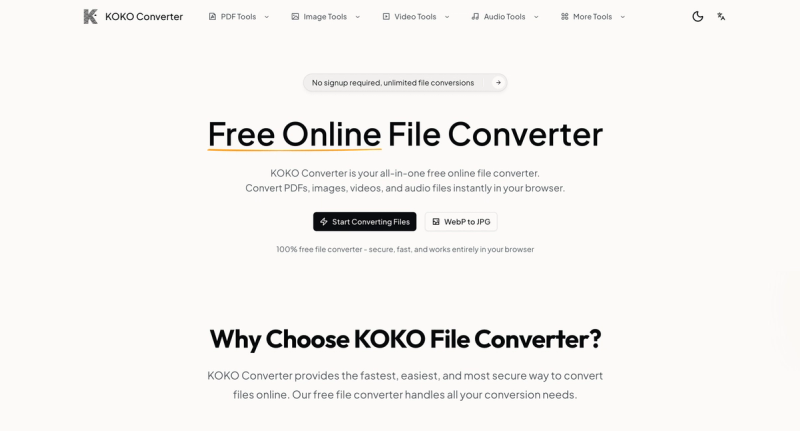
KOKO Converter is a free online file converter that handles images, documents, audio, and video entirely in your browser without any registration or file uploads.
What is KOKO Converter?
KOKO Converter is a web-based file conversion tool that processes files locally on your device. It takes input files in over 50 formats—including images (WebP, JPG, PNG, GIF, BMP, TIFF), documents (PDF, Word, Excel, PowerPoint), audio (MP3, WAV, M4A, FLAC, OGG), and video (MP4, MOV, AVI, WebM)—and outputs converted files in your chosen format. The tool works on any device with a modern browser (Windows, Mac, iOS, Android, Linux) and is developed by KOKO Converter (no company name stated).
Key Features
- 100% free forever — No usage limits, premium tiers, or hidden costs. Convert unlimited files without paying.
- Browser-based processing — Files never leave your device. All conversion happens locally using client-side technology, ensuring complete privacy.
- No registration required — Start converting immediately without account creation, email verification, or sign-up forms.
- Batch file processing — Convert multiple files at once efficiently.
- Supports 50+ file formats — Wide range of image, document, audio, and video formats with continuous expansion.
- Up to 50 MB file size — Accepts files up to 50 MB per conversion.
- High quality output — Maintains original quality of documents, images, and media files.
- Cross-platform compatibility — Works on Windows, Mac, iOS, Android, and Linux.
Who is it for?
- Professionals needing quick file conversions without installing software, such as converting WebP to JPG for compatibility.
- Students working with different document formats (e.g., merging PDFs, compressing PDFs for submission).
- Social media managers optimizing images (e.g., converting PNG to JPG) and handling batch conversions.
- Podcasters and videographers converting audio (M4A to WAV) or video formats (MP4 to MOV) for editing and playback.
What can you do with KOKO Converter?
- Convert WebP images to JPG or PNG for maximum compatibility across websites and devices.
- Compress PDF files to reduce size while maintaining readability and quality.
- Merge multiple PDF documents into a single file for easy organization.
- Convert M4A audio to WAV for editing in audio software that requires universal formats.
- Batch convert multiple files at once to save time, such as converting a folder of images to a different format.
How does KOKO Converter work?
- Select a conversion tool from the collection (e.g., WebP to JPG, PDF Compressor).
- Upload your file by dragging and dropping or browsing your device (files up to 50 MB).
- Download the converted file instantly after processing, which takes only seconds.
FAQ
Is KOKO File Converter really free?
Yes, it is 100% free with no usage limits, premium tiers, or hidden costs. All conversion tools are available at no charge.
Is my data safe when using this file converter?
Yes. Files are processed locally in your browser using client-side technology. They never leave your device, so no data is uploaded or stored on servers.
What is the maximum file size supported?
The maximum file size for a single conversion is 50 MB.
Can I convert multiple files at once?
Yes, KOKO Converter supports batch file processing, allowing you to convert multiple files simultaneously.
Does the converter work on mobile devices?
Yes, it works on any device with a modern browser, including iOS and Android smartphones and tablets.