Newsletter
Join the Community
Subscribe to our newsletter for the latest news and updates
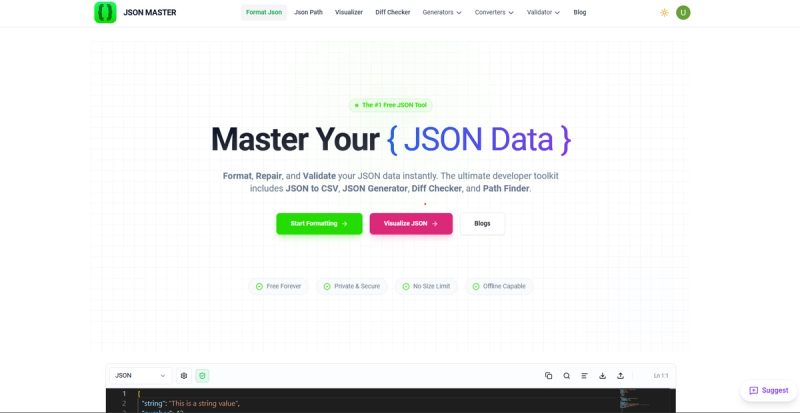
JSON Master is online json formatter, visuliazer, api schema monitoring, type generator and convertors group of tools.
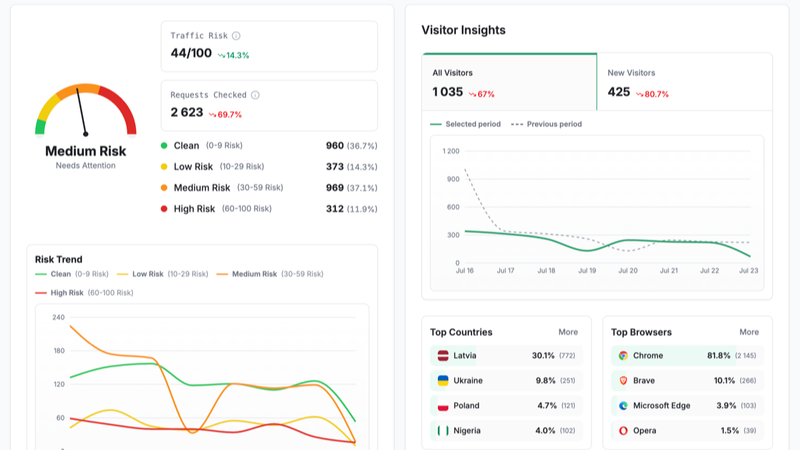
Traffic, search & AI signals for jsonmaster.com.
Third-party traffic estimate · Updated Sep 9, 2026
Submit your own product to reach creators and founders looking for the next tool to try.
JSONMaster is an all-in-one developer toolkit for visualizing, repairing, transforming, and monitoring JSON, YAML, XML, CSV, TOML, and PDF documents, built by solo developer rkmahale17 and available as a web application.
JSONMaster.com is a web-based toolkit that processes structured data formats—JSON, YAML, XML, CSV, TOML, and PDF—and outputs formatted, validated, converted, or visualized results. It runs entirely in the browser (no installation required) and is created by solo developer rkmahale17. Core functions include AI-powered formatting, syntax repair, interactive graph/tree/table visualization, real-time API monitoring, and schema generation.
Most tools work by pasting input data into a browser-based editor, selecting an operation (format, validate, convert, visualize), and receiving instant results. The API Monitor requires registering an endpoint URL; the system then pings it periodically and displays health metrics on a dashboard.
JSONMaster is freemium. Basic tools like formatting, validation, and conversion are free. Advanced features such as the visualizer, monitor, and cloud save may require a paid plan (specific tier names are not listed on the homepage).
Yes, core tools like formatting, validation, and most converters are free. Some advanced features (visualizer with cloud save, API monitoring) are part of a freemium model.
It supports JSON, YAML, XML, CSV, TOML, and PDF. You can convert between these formats and also generate schemas and type definitions.
Most operations happen client-side in the browser. Cloud save is available for visualizer states if you choose to use it. PDF tools process files locally and do not upload to servers.
It was built by solo developer rkmahale17, as stated on the GitHub profile.
No, it requires an internet connection because it is a web application. However, the browser extension provides quick access while online.