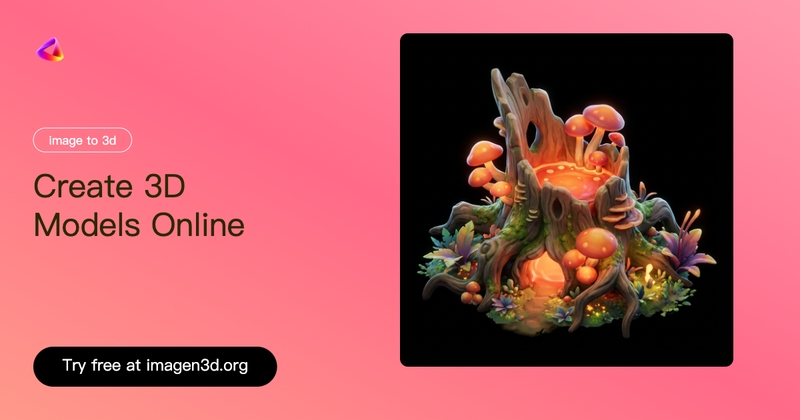
Imagen3D is an AI-powered web tool that converts one or more 2D images into production-ready 3D models with textures, available for download in multiple formats and immediate online sharing.
What is Imagen3D?
Imagen3D is an online platform that uses AI to transform 2D images—uploaded as single photos or multiple views—into 3D models with clean manifold geometry and PBR textures. It runs entirely in the browser (no software installation) and is developed by the team at imagen3d.org. The tool outputs 3D files in GLB, OBJ, STL, GLTF, USDZ, and MP4 formats, and provides a shareable online preview link.
Key Features
- Multiple quality tiers — Fast (under 1 minute), Pro (1–2 minutes), and Ultra (several minutes). Fast generates basic white geometry; Pro and Ultra produce textured models with PBR maps (Albedo, Normal, Roughness, Metallic).
- Multi-view input — Pro and Ultra modes accept 3–4 photos from different angles (front, back, left, right) for improved accuracy.
- Export formats — Download as GLB, OBJ, STL, GLTF, USDZ, or MP4 video preview.
- Online sharing — Every generated model gets a unique preview link that works on phones, tablets, and computers without any software.
- Commercial rights — All generated models belong to the user with full commercial rights, no restrictions.
- File limits — Accepts PNG, JPG, WebP uploads up to 10MB per image.
- Clean geometry — Outputs manifold, watertight meshes suitable for 3D printing and game engines.
Who is it for?
- Game developers — Quickly prototype 3D assets from concept art or reference photos without manual modeling.
- 3D printing enthusiasts — Turn photos of objects into STL files for direct printing.
- E‑commerce merchants — Create interactive 3D product showcases for online stores.
- Content creators — Generate eye-catching 3D models for social media, blogs, or client presentations.
What can you do with Imagen3D?
- Product showcases — Upload product photos and embed rotatable 3D previews on your website or share via link.
- 3D printing — Convert images of prototypes or sculptures into watertight STL files ready for slicing.
- Concept visualization — Quickly turn hand-drawn sketches or reference images into 3D models for client pitches.
- Social media content — Create shareable 3D previews (GLB or MP4) that stand out from flat images.
How does Imagen3D work?
- Upload an image (or 3–4 images for multi-view) in PNG, JPG, or WebP format (max 10MB each).
- Choose a quality tier: Fast (quick preview), Pro (balanced detail), or Ultra (highest quality with enhanced textures).
- Click “Generate 3D Model” and wait for processing (under a minute for Fast, up to several minutes for Ultra).
- Preview the 3D model in the browser, rotate/zoom, then download in your preferred format or share the link.
Pros and Cons
Pros
- Fast turnaround, even on the free tier.
- Multiple export formats covering web, printing, and animation.
- Clean, manifold geometry with proper edge flow.
- Full commercial rights to all outputs.
Cons
- Fast mode produces untextured (white) geometry only.
- Best results require multi-view input and even lighting.
- Not designed for high-poly production pipelines (game animation, VFX) without additional editing.
Pricing
Imagen3D operates on a freemium model. Free users can generate models using Fast mode. Paid tiers (Pro and Ultra) unlock multi-view input, texture options, and higher-quality outputs. Specific pricing is not publicly listed; you must sign up to see tier costs.
FAQ
How long does it take to convert an image to 3D?
Fast mode completes in under 1 minute (typically 20–40 seconds), Pro takes 1–2 minutes, and Ultra can take several minutes depending on server load.
What file formats can I download?
You can download GLB, OBJ, STL, GLTF, USDZ, and MP4 video previews. The online preview link is also shareable.
Do the 3D models include colors and textures?
Fast mode produces white untextured geometry. Pro mode optionally includes textures from your photo. Ultra mode automatically generates detailed PBR textures (Albedo, Normal, Roughness, Metallic).
Can I upload multiple photos for better results?
Yes. Pro and Ultra tiers support 3–4 photos from different angles. This significantly improves the quality and completeness of the 3D reconstruction.
Are the generated models free for commercial use?
Yes. All 3D models you generate belong to you with full commercial rights. You may use them on product pages, marketing materials, or anywhere else without additional fees.