Image to Link Converter by SanishTech
Image to Link Converter is a free online tool that lets you upload an image and instantly generate a shareable URL.
What is Image to Link Converter?
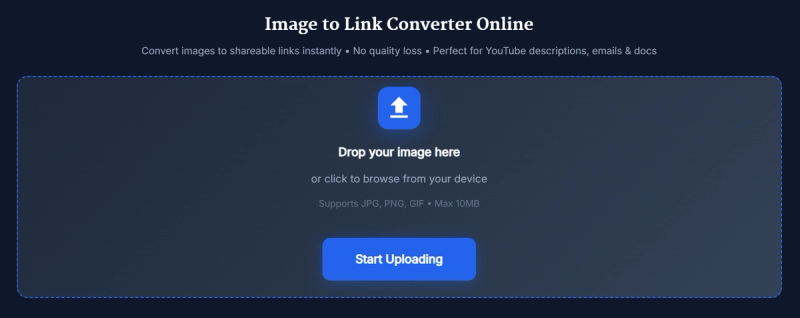
Image to Link Converter is a web-based tool that takes any JPG, PNG, or GIF image (up to 10 MB) and outputs a public viewer link and an HTML <img> code snippet. It runs entirely in the browser on any device and is created by SanishTech. No signup, account, or installation is required — upload an image and get a shareable URL in seconds.
Key Features
- One-click upload — Click the "Start Uploading" button to select an image from your device; no forms or registrations.
- Instant viewer link — A clean public URL is generated immediately after upload, ready to copy and share.
- Ready HTML embed — The tool also provides a complete
<img src="...">tag that you can paste into websites, blogs, or HTML editors. - Open Link verification — Use the "Open Link" button to preview how the image loads before sharing.
- Upload More flow — Convert multiple images one after another without refreshing the page.
- Quality preserved — Images are hosted without compression or watermark, retaining original clarity.
- Mobile friendly — The interface works smoothly on desktop and mobile browsers.
- Free to use — No paywalls or subscriptions; optional "Buy Me a Coffee" donation of $2.
Who is it for?
- Marketers and bloggers — Share screenshots, product photos, and blog graphics instantly without cloud drive slowdowns.
- Web developers and designers — Generate quick image URLs for testing, mockups, or embedding in pages and emails.
- Store owners and content teams — Upload banners, sale images, and comparison graphics to share links among team members or use in campaigns.
- Anyone needing temporary hosting — Attach a link instead of bulky files in chats, docs, or support tickets.
What can you do with Image to Link Converter?
- Share images in emails or chats — Paste the viewer link instead of sending large attachments.
- Embed images on websites — Use the HTML code to add an image to blog posts, landing pages, or custom HTML blocks.
- Collaborate on visual assets — Send a link to a client or editor for instant review without downloading.
- Store image links in project notes — Keep a spreadsheet of generated URLs for reuse across multiple platforms.
How does Image to Link Converter work?
- Click "Start Uploading" and select a JPG, PNG, or GIF file (max 10 MB).
- A preview card appears confirming your image.
- Copy the generated Viewer Link or the HTML Image Code.
- Use "Open Link" to verify the image loads correctly.
- Click "Upload More" to repeat the process for another image.
Pros and Cons
- Pros: Free, no signup, no watermark or compression, instant link generation, ready HTML code, mobile friendly.
- Cons: Only supports JPG, PNG, and GIF (no WEBP or SVG), file size limited to 10 MB, links are public (not suitable for confidential files).
FAQ
Is Image to Link Converter free?
Yes. You can upload images and generate shareable links without any cost or account. A voluntary "Buy Me a Coffee" donation of $2 is offered but not required.
What image formats are supported?
JPG, PNG, and GIF. These cover most common use cases like screenshots, product photos, and simple animations.
Is there a file size limit?
Yes, the maximum upload size is 10 MB. For larger files, consider resizing or compressing before uploading.
Are the generated links public?
Yes. The link is publicly accessible, so only upload images that are safe to share publicly. For private files, use a different service.
Can I use the HTML code on my website?
Yes. The HTML Image Code is a complete <img> tag that you can paste into any HTML editor or CMS that supports raw HTML.