What is Image to Calendar Converter?
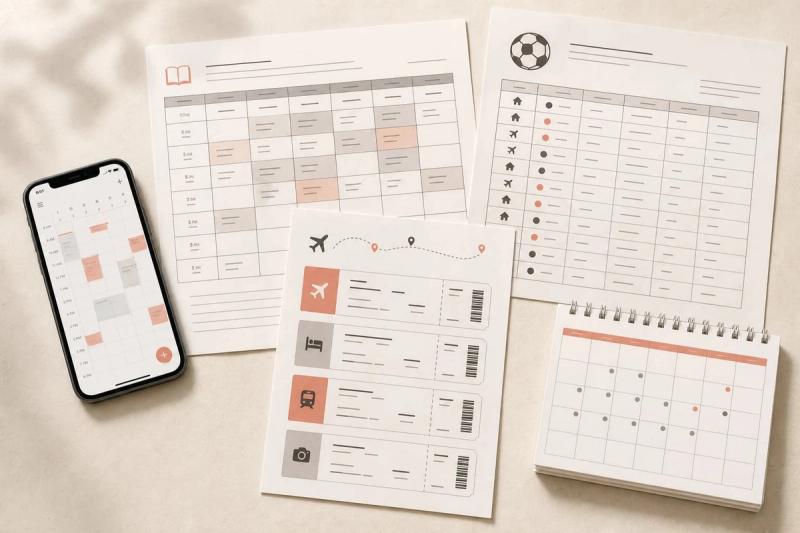
Image to Calendar Converter turns schedule photos, screenshots, flyers, and PDFs into editable calendar events and exports them as a standard ICS file. It extracts dates, times, locations, timezones, and repeat details, then lets you review everything before downloading. The resulting file works with Google Calendar, Apple Calendar, Outlook, and other iCalendar apps.
Key Features
- Multiple formats — supports JPG, PNG, and WebP images up to 10 MiB, plus PDFs up to 12 MiB and 10 pages.
- Up to 100 events per conversion — useful for class timetables, season schedules, shift rosters, conference agendas, and travel plans.
- Editable results — change titles, dates, times, all-day settings, timezones, locations, notes, and recurrence rules, or remove unwanted events.
- Confidence scores and warnings — quickly identify entries that may need review.
- Privacy-first processing — uploaded files are processed in memory and released after extraction; they are not permanently stored.
- Free to try — complete one guest conversion without an account. Google Sign-In includes two free credits.
Who is it for?
- Students converting class timetables or exam schedules
- Sports teams digitizing game and practice schedules
- Shift workers and managers importing weekly rosters
- Event organizers extracting details from flyers and agendas
- Travelers turning itineraries into calendar events
How it works
- Upload an image or PDF.
- Review and edit the extracted events.
- Download one ICS file and import it into your calendar app.
Pricing
Try one conversion free without an account. Sign in with Google to receive two free credits. Additional credits are available as one-time packs; no subscription is required.
FAQ
What file types are supported?
JPG, PNG, and WebP images up to 10 MiB, and PDFs up to 12 MiB and 10 pages. Clear, readable text gives the best results.
Can I edit the extracted events?
Yes. You can edit event titles, dates, times, timezones, locations, notes, all-day settings, and recurrence rules before export.
Are uploaded files stored?
No. Files are processed in request memory only and released after extraction.
How accurate is it?
Accuracy depends on image clarity and layout. Each event includes a confidence score and warnings so you can verify uncertain details before downloading.