
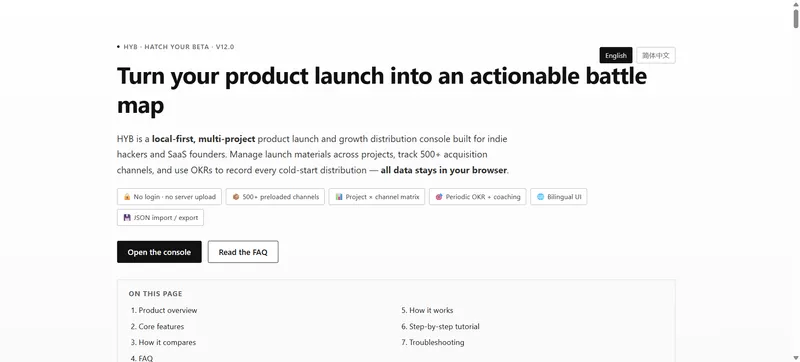
HYB (Hatch Your Beta) is a browser-based launch console that tracks which of 500+ distribution channels each product has been submitted to, keeping every record in localStorage instead of on a server.
What is HYB?
HYB is a local-first product launch and distribution console for indie hackers and SaaS founders. You enter project materials (product name, website, tagline, description), and the tool tracks, for each project × channel pair, a status, follow-up date, notes, and dated live URLs. It runs entirely in the browser with no account system and no backend; the only external requests the page makes are the Microsoft Clarity analytics script (clarity.ms) and the logo image, while business data is written only to keys prefixed hyb_v12_. Outputs are a filtered channel table, per-project progress counts, an OKR progress bar, and a downloadable JSON backup.
What makes HYB stand out?
- 500+ preloaded channels in 9 categories — AI tool directories, SaaS review sites, launch platforms, developer tools, social and content, community promotion, business and PR, search engines, and others; includes 17 Reddit subreddits and 7 webmaster platforms (Google Search Console, Bing Webmaster Tools, Yandex Webmaster, Baidu Search Resource Platform, Naver Search Advisor, Seznam, IndexNow).
- Project × channel progress matrix — a sparse record per combination holding status (Pending, Launched, Featured, Rejected), follow-up date, free-text notes, and a list of live URLs with url, title, and date.
- Four-field material copying — each project card has per-field copy buttons plus a "Copy all" button that writes name, website, tagline, and description as four labelled blocks to the clipboard.
- Domain Rating preloaded and inline-editable — a
PRELOADED_DRdictionary covers hundreds of domains (github.com 97, linkedin.com 99, producthunt.com 91); click any DR cell to edit, Enter to save, Esc to cancel, with values validated to 0–100. - OKR goals counted from live URLs — pick week, month, quarter, or year (defaults 20, 100, 300, 1000 distribution points), and the count comes only from live-URL entries dated inside the current period.
- Overdue markers and coaching hints — rows whose follow-up date has passed while status is neither Featured nor Rejected get a 2px black inset bar; goal hints adapt to six conditions including behind-schedule and ahead-of-schedule.
- JSON export and dual-format import — export produces
hyb-console-backup-YYYY-MM-DD.jsonwith app, version, exportedAt, lang, platforms, projects, progress, and okr; import accepts that full format or the older flat-array format and overwrites current data after a confirmation dialog. - English and Simplified Chinese UI — a full i18n dictionary including bilingual category labels, with the choice persisted in
hyb_v12_lang.
Who should use HYB?
- Indie hackers preparing a cold start: pick target channels from the preloaded library, mark each as Pending, then move them to Launched as posts go live.
- Founders running several product lines: each project keeps its own materials, progress matrix, and OKR, so two products never share a status row.
- Global SaaS teams: the bilingual UI and the Baidu, Naver, Seznam, and IndexNow entries support search-engine submission tracking outside the US and Europe.
- Privacy-conscious builders: anyone who does not want a launch plan sitting in a third-party SaaS can keep it in browser storage and move it by JSON file.
What can you do with HYB?
- Solo founder on launch week: copy the four-block material set into each form, set a follow-up date, and paste the resulting live URL with its date so it counts toward the weekly goal.
- Multi-product team: filter the table to one project, sort channels by DR descending, and work down the list from the highest-authority directories first.
- Weekly review: check overdue rows, read the coaching hint, export a dated JSON snapshot, and archive it before clearing anything in the browser.
How does HYB work?
- Add a project and fill in its four material fields, then export a backup before bulk changes.
- Filter the channel table by search, category, fee, or project, and add custom channels (name required; URL, category, Free/Paid/Unknown fee, and DR optional) with duplicate-host and duplicate-name detection.
- Set a status and follow-up date per row, write inline notes that save on blur, and add live URLs with dates.
- Watch the overview recalculate live-URL, Launched, and Featured counts plus the goal percentage, then export again.
Pricing
The current release, v12.0, is free. The page's structured data declares isAccessibleForFree: true with an offer of price 0 USD, and there is no login, paywall, or paid tier.
FAQ
Do I need an account, and where is my data stored?
No account exists anywhere in the product. Channels, project materials, progress, notes, live URLs, and OKRs live in browser localStorage under the hyb_v12_ prefix. Switching browsers or devices, or clearing site data, erases everything, so export a JSON backup regularly.
Is the DR data live?
No. PRELOADED_DR holds static preset values for hundreds of domains and never refreshes automatically. DR is used as a sort (ascending or descending, null always last), not as a filter, and any value can be edited in place and is then persisted as entered.
Does importing a file overwrite my work?
Yes. A confirmation dialog states that import replaces all current channels, project materials, distribution progress, and goal settings. The same file format used for export can be re-imported, and older flat-array files are migrated into the first project.
Why did a channel vanish when I filtered by a status?
The status filter applies to project rows, so when every project row under a channel is filtered out, the channel itself is hidden. Select a specific project first, then apply the status filter.
What happens when storage is full?
Writes are wrapped so that quota and private-mode failures surface as a "local storage is full — could not save" toast instead of failing silently. Export a backup, clear site data, and reopen in a normal window.