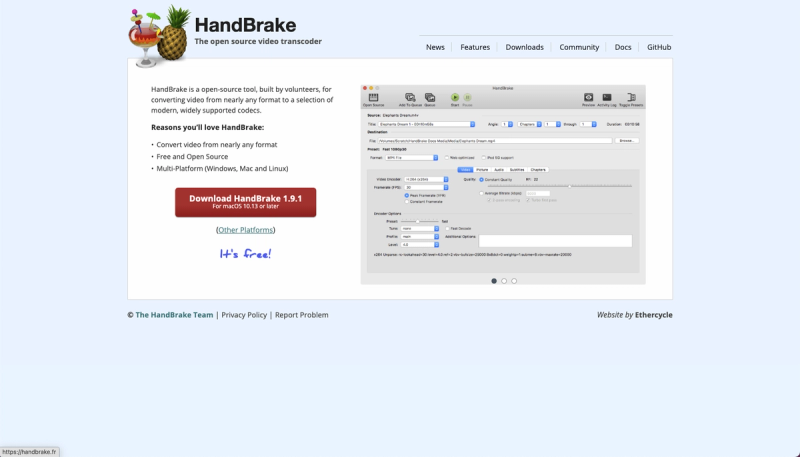
HandBrake is an open-source, volunteer-built video transcoder that converts nearly any video format into modern, widely supported codecs like H.264, H.265, and AV1.
What is HandBrake?
HandBrake is a free, open-source video transcoder created by volunteers. It accepts common multimedia files and unprotected DVD/Blu-ray sources as input and outputs MP4, MKV, or WebM containers with codecs including AV1, H.265, H.264, MPEG-4, MPEG-2, VP8, and VP9. It runs on Windows, Mac, and Linux. You can download HandBrake for Linux via Flatpak or for other platforms.
Key Features
- Built-in Device Presets – Choose profiles optimized for specific devices or universal profiles for standard or high-quality conversions, with options to tweak advanced settings.
- Wide Input Support – Processes most common multimedia files and unprotected DVD/Blu-ray sources.
- Output Flexibility – Containers: MP4, MKV, WebM. Video encoders: AV1, H.265, H.264, MPEG-4, MPEG-2, VP8, VP9. Audio encoders: AAC/HE-AAC, MP3, FLAC, AC3, E-AC3, Opus, Vorbis. Audio pass-through for many formats.
- Hardware Acceleration – Optional hardware-accelerated video encoding for faster conversions on supported GPUs.
- Subtitle Support – Handles VobSub, CEA-608 closed captions, SSA, and SRT subtitles.
- Video Filters – Includes deinterlacing, decomb, denoise, detelecine, deblock, grayscale, color space conversion, cropping, and scaling.
- Batch Processing – Batch scan and queue encoding jobs with chapter markers and range selection.
- Preview and HDR – Live static and video preview; HDR pass-through support.
Who is it for?
- Home users – Convert personal video collections to play on smartphones, tablets, or smart TVs using device-specific presets.
- Content creators – Transcode footage into standardized formats for editing or distribution, with control over quality and file size.
- Archivists – Convert legacy video formats into modern, widely supported codecs for long-term preservation.
What can you do with HandBrake?
- Compress home videos – Reduce file size of camcorder footage by encoding to H.265 or AV1 with constant quality or average bitrate.
- Prepare media for devices – Use device presets to automatically optimize video for Apple, Android, gaming consoles, and more.
- Extract chapters or subtitles – Select specific title/chapter ranges and embed or burn in subtitles from DVDs or Blu-rays.
How does HandBrake work?
Select a source file, choose a preset or customize settings, then add the job to the queue. HandBrake processes the video using software or hardware encoding and outputs the file in your chosen container and codec. You can preview the result before encoding.
Pricing
HandBrake is completely free and open source.
FAQ
Is HandBrake free?
Yes, HandBrake is free and open source software, built by volunteers with no paid tiers or hidden costs.
What formats does HandBrake support as input?
HandBrake can process most common multimedia files (e.g., MP4, MKV, AVI, MOV) and unprotected DVD/Blu-ray sources.
Can HandBrake handle copy-protected DVDs?
No, HandBrake does not bypass copy protection. It only works with unprotected sources.
What video and audio codecs can HandBrake output?
Video: AV1, H.265 (HEVC), H.264, MPEG-4, MPEG-2, VP8, VP9. Audio: AAC, MP3, FLAC, AC3, E-AC3, Opus, Vorbis, with pass-through for many formats.