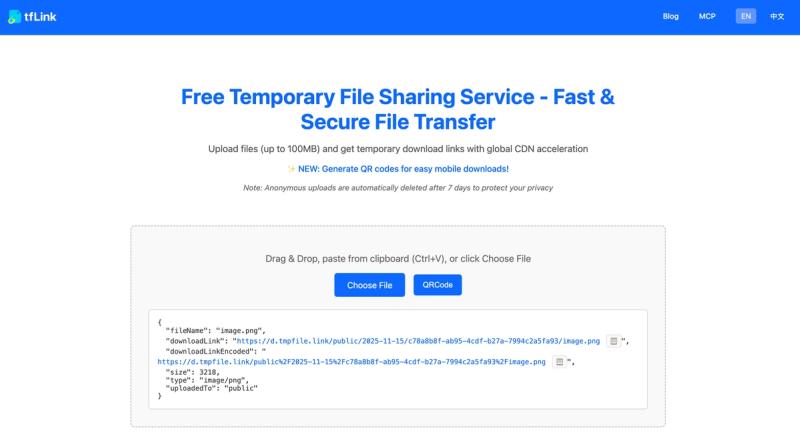
tfLink is a free temporary file sharing service that lets you upload files up to 100MB, receive instant download links with global CDN acceleration, and automatically deletes files after 7 days for privacy.
What is tfLink?
tfLink is a temporary file upload and sharing platform. It takes any file up to 100MB as input and produces a shareable download link as output. The service runs on Cloudflare Workers and is provided by tmpfile.link. No registration is required for anonymous uploads, and files are automatically deleted after seven days.
Key Features
- Fast upload with global CDN — Built on Cloudflare Workers, uploads and downloads are accelerated through a worldwide content delivery network.
- QR code sharing — After uploading a file, click the "QRCode" button to generate a QR code for instant mobile access.
- Automatic 7-day cleanup — Anonymous uploads are automatically deleted after 7 days to protect privacy.
- Multiple upload methods — Supports web drag-and-drop, command-line (curl or PowerShell), Python client (
pip install tflink), and a REST API. - Raycast extension — Upload clipboard text or Finder files directly from Raycast using the official extension.
- Authenticated storage — Users with an account (user ID and auth token) get longer storage periods (not self-deleting after 7 days).
- All file types supported — Images, documents, audio, video, archives, scripts, and more.
- 100MB file size limit — Individual files can be up to 100MB.
Who is it for?
- Developers and technical users — Use the CLI or API to automate uploads in scripts and CI/CD pipelines.
- Regular users needing quick file sharing — Drag and drop files on the web interface to get a temporary link without signing up.
- Mobile users — Generate QR codes to easily transfer files between devices.
- Teams and authenticated users — Use your own user ID and auth token to upload files that remain available beyond 7 days.
What can you do with tfLink?
- Share screenshots and documents instantly — Upload a file on the web and paste the link into a chat or email.
- Transfer files between devices — Upload on your computer, generate a QR code, and scan it on your phone to download.
- Automate file uploads in scripts — Use the curl command or Python client to upload files programmatically from any environment.
- Integrate with Raycast workflows — Copy a file or text, run the Raycast command, and get a tmpfile.link URL copied to your clipboard.
FAQ
How long are files stored?
Anonymous uploads are automatically deleted after 7 days. Authenticated users (with a user ID and auth token) have longer storage periods.
What is the file size limit?
Individual files can be up to 100MB. For larger files, compress them first.
Does tfLink support batch uploads?
The web interface supports single file uploads only. For batch uploads, use the command-line CLI or API.
How does the QR code feature work?
After uploading a file, click the "QRCode" button to generate a QR code containing the download link. Scan it with any mobile device to access and download the file.
Is tfLink free?
Yes, anonymous uploads are completely free with no signup required. Authenticated accounts may offer additional features but no pricing is listed on the site.