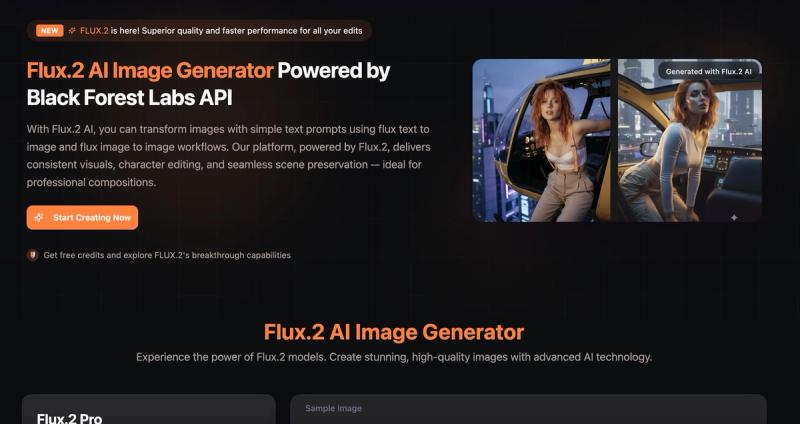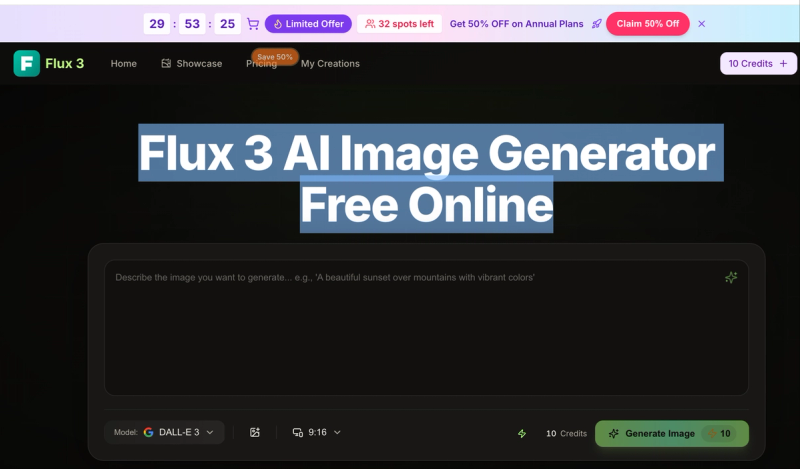
Flux 3 is an AI image generator powered by Flux.3 AI and black forest labs Flux 3. It allows users to create 4K images from text prompts or reference images for free with the Flux 3 AI Image Generator Free tier, with the option to upgrade to Flux 3 Pro for higher capacity.
What is Flux 3?
Flux 3 is an AI image generation and editing tool that takes text prompts or uploaded images and produces high-resolution (4K) pictures. It runs on the black forest labs Flux 3 engine and is powered by Flux.3 AI. Users can access it via web browser on desktop, tablet, or mobile without installation. The platform offers a free tier with starter credits and paid plans (Basic, Professional, Enterprise) for increased usage and features like priority generation, advanced models, and no watermarks.
Key Features
- Multi-Image Blend — Combine up to three images (subject, setting, style) into one coherent picture; maintains character consistency.
- Text-to-Image with Prompt Enhancement — Type a simple description; Flux 3 automatically improves lighting and composition hints before generating.
- Style Transfer & Creative Remix — Apply the look of a reference image to a new subject, supporting realistic, anime, painterly, and other styles.
- Scene-Smart Understanding — Analyzes prompts and reference images to keep subject, layout, and style consistent.
- Balanced Lighting & Tone — Automatic exposure, color, and composition adjustments for polished output.
- One-Click Style Swaps — Switch between photorealistic, anime, painterly, and more without losing the core concept.
- 4K-Ready Output — Generates sharp, detailed images suitable for web, print, and campaigns; both free and Pro tiers support high-resolution export.
- In-Image Text Updates — Edit or add text (prices, dates, captions) inside images without rebuilding the design.
Who is it for?
- Designers and marketers — Create product shots, social media graphics, and ad visuals quickly without a photo shoot.
- Content creators and influencers — Generate profile avatars, thumbnails, and background replacements for consistent branding.
- Photographers and photo editors — Restore old or low-resolution photos, fix color and sharpness, and apply virtual try-ons.
- Beginners and hobbyists — No design experience needed; plain language prompts produce professional-looking results.
What can you do with Flux 3?
- Product & lifestyle shots — Generate studio-quality images for e-commerce stores, ads, and social media without a physical set.
- Photo restoration — Bring old or low-res photos back to life by fixing color, sharpness, and small flaws.
- Virtual try-on — Preview outfits and accessories on a model or self to test cuts, colors, and styles before buying.
- Background replacement — Swap or remove backgrounds in one click for clean catalog or campaign layouts.
- Profile avatars — Create consistent character looks across poses and styles for social profiles and brand identity.
How does Flux 3 work?
- Open the Flux 3 AI Image Generator Free in your browser (no install).
- Upload an image or type a prompt describing what you want.
- Click Generate; the black forest labs Flux 3 engine produces an image in seconds (under 30 seconds typical).
- Edit details if needed (style swap, text update, etc.) and download the high-res result.
Pricing
Flux 3 offers a free tier with starter credits and three paid annual plans: Basic ($4.9/month, 6000 credits/year, up to 50 images/month), Professional ($9.9/month, 24000 credits/year, up to 200 images/month), and Enterprise ($19.9/month, 72000 credits/year, up to 600 images/month). Annual billing gives 50% discount. All plans include commercial use license, Seedream 5.0 generation, AI image enhancer, background remover, and support for AI video generation (Veo 3, Sora 2, Seedance, Wan 2.5 models on yearly plans). Priority generation, no watermark, and priority support are included in Professional and Enterprise.
FAQ
Is Flux 3 free to use?
Yes. You can start with the Flux 3 AI Image Generator Free tier and receive starter credits without entering a credit card. The free tier allows a limited number of credits and images. When you need more volume or fine control, you can upgrade to Flux 3 Pro (Basic, Professional, or Enterprise).
What can I create with Flux 3?
You can create product shots, avatars, concept art, social media visuals, photo restorations, virtual try-ons, background replacements, and in-image text updates. All outputs are 4K-ready.
Do I need design experience to use Flux 3?
No. Describe what you want in plain language; Flux 3 automatically handles composition, color, and style. Beginners can get good results quickly with the free tier, while pros can use Flux 3 Pro for fine-tuning.
Can I use Flux 3 on my phone?
Yes. Flux 3 works in the browser on desktop, tablet, and mobile — no app install required.
What models does Flux 3 use?
Flux 3 is built on the black forest labs Flux 3 engine. It also integrates Seedream 5.0 for AI generation and supports Veo 3, Sora 2, Seedance, and Wan 2.5 models for video generation on yearly plans.