
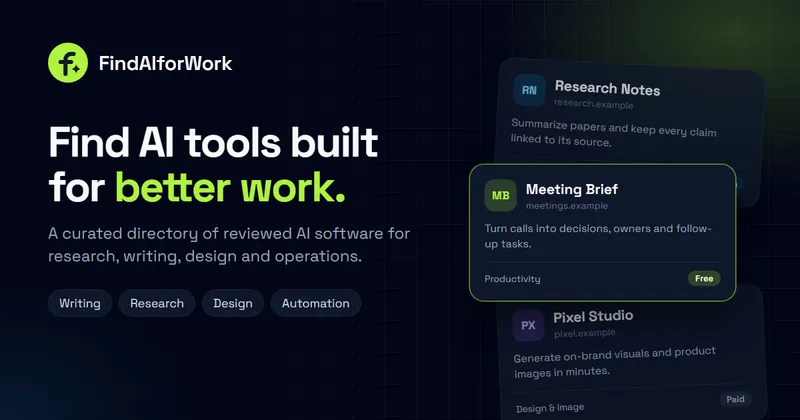
FindAIforWork.com is a curated web directory that catalogs AI software for productive work, sorting 50 reviewed tools into named categories such as Writing & Content, Design & Image, Video & Animation, Audio & Voice, Developer Tools, and Productivity & Meetings.
What is FindAIforWork.com?
FindAIforWork.com is a browser-based directory of AI tools aimed at workplace tasks including research, writing, analysis, design, and operations. A visitor types a query into the homepage search box or opens a category page, and receives a list of tool cards; each card carries the tool's name, domain, logo, a one-sentence description of what it does, its category, and a pricing label (Free, Freemium, Paid, or Contact sales). The site's own header reports 50 tools listed across 10 categories. No individual maker or company is named on the page.
What makes FindAIforWork.com stand out?
- Reviewed listings — the header states "Every listing reviewed" and "50 tools listed," so entries are screened before they appear rather than auto-ingested.
- Pricing label on every card — tools are tagged Free (Gesture Synth Weld, Cursive Text Generator, Bike Size Charts), Freemium (CUT3, NoteGPT, TypoGuard), Paid (Book Check Genie, Influence), or Contact sales (Medcontra, Ninebix).
- Category counts published up front — Productivity & Meetings lists 24 tools, Design & Image 14, Writing & Content 11, Marketing & Sales 11, Research & Data 9, Video & Animation 8, Automation & Agents 8, Developer Tools 7, Audio & Voice 4, and Customer Support 1.
- Latest feed — a dated-by-recency strip surfaces newly added tools such as CUT3 (beat-synced video from a text edit description), Riffuvo (two photos into an AI duet video), MakeBPM (songs from a written idea), Seed Audio AI (scripts to voice audio), and Kivvie (a whitelist-only YouTube player for children).
- One-line functional summaries — each entry states a concrete input and output, for example "Turn a resume or slide deck into a talking portfolio video" or "Verify citations and find sources before a claim ships."
- Featured placement block — the top of the homepage is reserved for paid Pro listings, described as leading the first screen for 30 days from when the plan starts.
- Submission and pricing pages — separate routes for submitting a tool and for comparing listing plans, including an FAQ covering review, rejection, and link attributes.
Who should use FindAIforWork.com?
- Small teams choosing a tool for a specific job: scan a single category such as Productivity & Meetings or Research & Data instead of trawling general search results.
- Writers and content marketers: compare writing tools such as Blogwriter and TypoGuard side by side, with pricing models visible before a click.
- Indie makers and founders: submit a newly launched tool for review and, if they pay for a Pro plan, hold a featured spot on the homepage for 30 days.
- Developers and automation builders: browse Developer Tools and Automation & Agents entries like GoRules and Mux0 when assembling a workflow.
What can you do with FindAIforWork.com?
- Shortlist by pricing model: filter visually across Free, Freemium, Paid, and Contact sales labels to avoid tools that require a sales call.
- Find a niche utility fast: locate narrow tools such as TattooDrafts (tattoo designs with fonts, stencils, and pricing charts), AccuraCite (citation verification), or Bike Size Charts (sizing from height and inseam).
- Discover recent launches: use the Latest strip to see what shipped most recently rather than browsing by category.
- Get your own product listed: use the submit route to request a review, then optionally buy featured placement.
How does FindAIforWork.com work?
Visitors search or open a category page and click through to the tool's own website; the directory holds the description, category, and pricing label but the tool itself runs elsewhere. For makers, the flow is submitting a tool through the submit page, passing the review the site advertises, and then optionally paying for a Pro featured slot, which places the listing on the first screen for 30 days from the plan start date.
Pricing
FindAIforWork.com sells paid listing plans, with a Pro tier referenced on both the featured block and a dedicated pricing page; prices themselves are not shown on the homepage. Paid featured slots are explicitly labeled "Pro listings · paid placement." A free submission path is referenced in the site's FAQ, and an FAQ entry addresses what happens to a paid listing that is rejected.
FAQ
Is FindAIforWork.com free to browse?
Browsing and searching the directory is presented as open access — the homepage offers a search box and category links with no sign-in step shown. Each tool's own pricing is labeled separately as Free, Freemium, Paid, or Contact sales.
How many AI tools are on FindAIforWork.com?
The site header reports 50 tools listed across 10 categories, with individual categories ranging from 24 tools in Productivity & Meetings down to a single Customer Support entry. The Latest strip and category pages each show a subset of the full catalog.
Can I pay to have my AI tool featured?
Yes. The top of the homepage is reserved for paid Pro listings, described as leading the first screen for 30 days from when the plan starts. Featured spots are labeled as paid placement on the page itself.
Are submitted tools reviewed before appearing?
The homepage states that every listing is reviewed, and the FAQ covers what happens if a paid listing is rejected. The page does not publish a review turnaround time, and an FAQ entry asking when a listing will appear is present without an answer shown here.
What categories does FindAIforWork.com cover?
The directory spans Writing & Content, Design & Image, Video & Animation, Audio & Voice, Developer Tools, Productivity & Meetings, Research & Data, Marketing & Sales, Automation & Agents, Customer Support, and an AI Assistants & Search category that currently shows zero tools.


