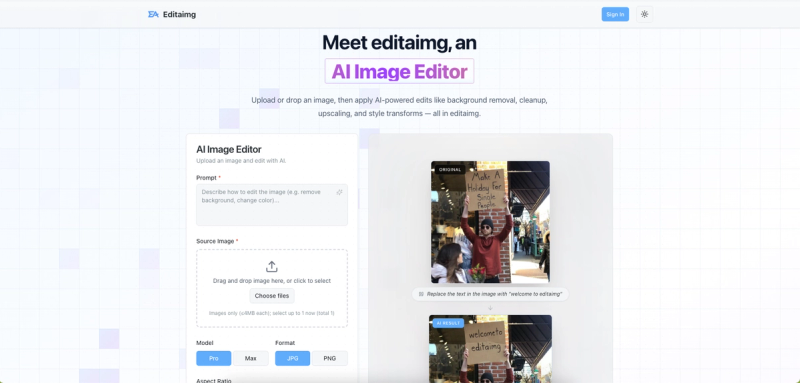
Editaimg is an AI-powered image editor that lets you upload photos and apply edits like background removal, object replacement, and style transforms using text prompts.
What is Editaimg?
Editaimg is a browser-based AI image editor that accepts uploaded images (up to 50 MB each, up to 8 at a time) and returns edited results based on user-written prompts. It is developed by an independent team and offers optional sign-in to save generation history. The tool requires no software installation and works entirely online.
Key Features
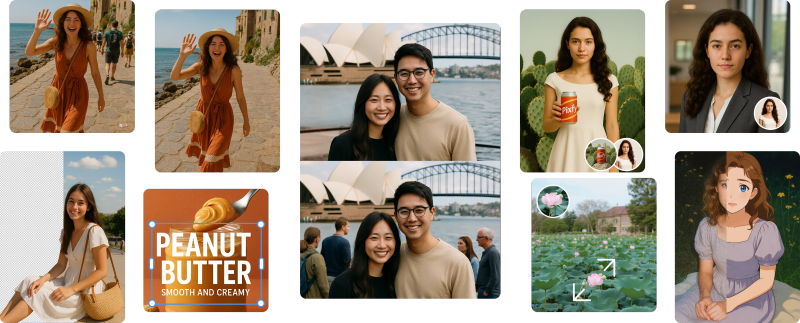
- AI-Powered Editing — Remove backgrounds, replace objects, clean up images, and upscale resolution (1K, 2K, 4K options) via text prompts.
- Style Transforms — Apply artistic styles, color grading, and lighting adjustments instantly.
- Realistic Product Shots — Transform simple product images on white backgrounds into natural settings like a kitchen sink.
- Instant Previews — See before/after results in a clean grid before downloading.
- Multiple Export Formats — Download as JPG or PNG with adjustable aspect ratios (auto, 1:1, 2:3, 3:2, 3:4, 4:3, 4:5, 5:4, 9:16, 16:9, 21:9).
- Specialized Tools — Includes dedicated features for adding someone to a photo, AI kiss generator, Gemini watermark remover, image text editor, AI image translator, and AI snow.
Who is it for?
- E-commerce businesses — Enhance product photos by placing them in realistic settings, removing backgrounds, or replacing objects.
- Social media managers — Quickly edit images for posts: remove unwanted objects, add text, or apply styles.
- Photographers — Use AI upscaling and cleanup for quick post-processing without professional software.
- Content creators — Translate text in images into 130+ languages, remove watermarks, or add seasonal effects.
What can you do with Editaimg?
- Remove unwanted objects — Erase people, utility poles, or trash from travel photos with background reconstruction.
- Replace objects seamlessly — Swap a coffee cup for a teacup in a poster or any element to match creative vision.
- Add someone to a photo — Blend a person into a photo naturally using AI.
- Generate romantic kiss images — Combine two photos or a single portrait into a kiss scene with realistic, anime, or cinematic styles.
- Edit text in images — Add, replace, or remove text while matching fonts, colors, and texture.
- Translate image text — Overlay translated text in over 130 languages preserving original style.
Pricing
Editaimg offers one-time payment credit packs: Basic (160 credits for $9.9), Standard (800 credits for $29.9, originally $49.9), and Pro (4000 credits for $49.9, originally $249). Credits never expire and include priority generation queue.
FAQ
What is Editaimg and how does it work?
Editaimg is an AI image editor. Upload an image, describe the edit in a prompt, and AI generates the result. Supports background removal, object replacement, upscaling, and style transforms.
Do I need photo editing skills?
No, all edits are AI-driven via text prompts. No professional skills required.
What kinds of edits can I make?
Background removal, object removal, text editing, image translation, adding subjects, upscaling resolution, applying styles, and more.
Can I upscale image resolution?
Yes, choose from 1K, 2K, or 4K output resolution.
Is there a free trial?
The page offers a generator section to try for free (no pricing details for free tier, but users can start editing for free).