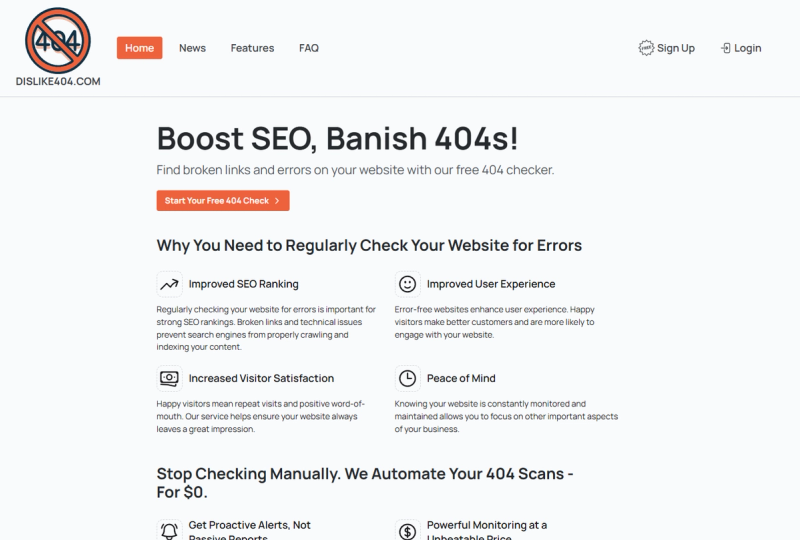
dislike404.com is a free, automated broken link checker that scans websites for HTTP errors (404, 500) and alerts users via email before issues impact visitors or search engines.
What is dislike404.com?
dislike404.com is a free website monitoring service that automatically checks for broken links, HTTP errors (404, 500), connection issues, and loading errors. Users input a website URL and receive a scan report or set up ongoing monitoring with email alerts. The platform runs as a web application by dislike404, hosted in Germany and GDPR-compliant with no third-party trackers.
Key Features
- Automated scanning — Daily scans of up to 200 internal pages (unverified) or 50,000 internal pages (verified), with adjustable intervals and crawl speed.
- QuickScan — Instant one-time scan with no sign-up; results available for 24 hours.
- Email notifications — Customizable alerts for errors only, full status after each scan, or no emails.
- WordPress plugin — Free plugin available on WordPress.org for triggering scans from the admin panel.
- robots.txt compliance — Respects crawl directives and identifies itself as a bot to avoid server strain.
- Scan filters — Custom scan filters to include or exclude specific paths.
- Scan history — Dashboard with stats bar and manual URL ordering, plus past crawl run logs.
Who is it for?
- SEO professionals — Catch broken links before Googlebot does, preserving rankings and crawl budget.
- Website owners — Monitor personal or business sites for 404 errors that drive visitors away.
- Web developers — Verify sites after deployments or migrations for broken internal and external links.
What can you do with dislike404.com?
- SEO damage prevention: Detect broken links early and fix them before Google or users encounter them, avoiding ranking penalties.
- Quick site health check: Use QuickScan to instantly evaluate any website's link integrity without registration.
- Automated oversight: Set up daily monitoring and receive instant email alerts for new errors, reducing manual checking.
How does it work?
Two options: QuickScan — paste a URL, click "Scan Now", and view results in your browser (no account, results last 24 hours). Automated Monitoring — Sign up free, add your website, choose scan interval and notification preferences, and let the system scan daily. When errors are found, an email is sent immediately.
Pros and cons
Pros:
- Fully free with no usage limits for essential features (up to 200 pages unverified).
- Verified accounts scale to 50,000 pages and 500,000 requests.
- No third-party trackers, GDPR-compliant.
- QuickScan requires no account. Cons:
- Unverified scans limited to 200 internal pages and 1,000 total requests.
- Only internal link scanning reported; external links may not be checked in detail.
- Requires website verification to unlock higher limits.
Pricing
Completely free with two plans: Unverified (up to 200 internal pages, 1,000 requests) and Verified (up to 50,000 internal pages, 500,000 requests, after free verification). Higher limits available upon request.
FAQ
Is dislike404.com really free?
Yes, both plans are $0. The unverified plan is always free with no credit card needed. Verified accounts require a free verification step to unlock higher limits.
What types of errors does it detect?
HTTP errors like 404 and 500, connection issues, and loading errors. It reports broken links and other common issues across your site.
How often are scans performed?
Scans are automated daily. You can adjust the scan interval and crawl speed in your settings.
Can I use it without creating an account?
Yes, the QuickScan feature lets you check any URL immediately without registration. Results are available for 24 hours.
Does it check external links?
The tool primarily scans internal pages. External link checking is limited; the focus is on your own site's pages and links.