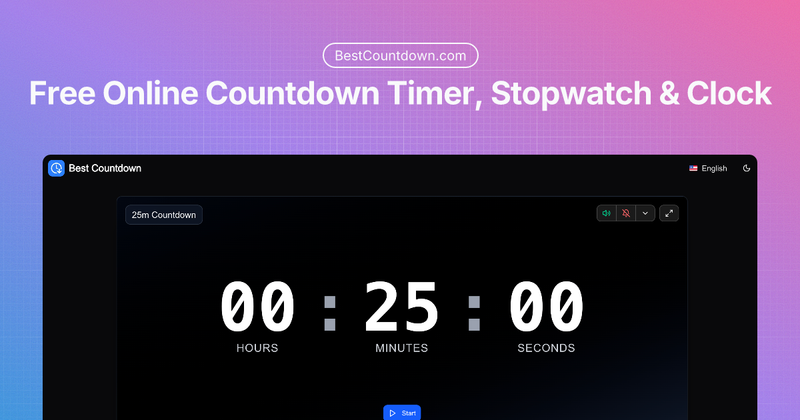
Best Countdown is a free online countdown timer that lets you set any duration from seconds to hours or a specific end time, with sound alerts and a large display, accessible on any device without installation.
What is Best Countdown?
Best Countdown is a web-based countdown timer that runs in any browser on phones, tablets, and computers. It takes a duration (seconds, minutes, hours) or a target end time with an optional date, and produces a real-time countdown display and configurable sound alert when time expires. The tool is developed by BestCountdown.com and requires no account or download.
Key Features
- Flexible Time Setting – Set any duration from 1 second up to 24 hours, or pick a specific end time with optional date input. Preset buttons for common durations: 5s, 10s, 15s, 30s, 1m up to 4h.
- Smart Sound Alerts – Choose from multiple sound options including gentle chimes, ticking sounds for rhythm, and a silent mode. The alarm respects device volume; visual notification shows when time is up.
- Focus-Friendly Display – Large, clear numbers readable from across a room. Fullscreen mode is available for workouts, presentations, or cooking.
- Instant Sharing – Generate a shareable link that lets others see the same countdown. Useful for group study sessions, meetings, or synchronized activities.
- Works Everywhere – Responsive design adapts to screen size; touch controls are optimized for mobile. No app installation needed.
- Persistent Settings – Sound preferences and other configurations are saved between sessions via browser storage.
Who is it for?
- Students using the Pomodoro technique – Set 25-minute focus blocks with preset buttons and ticking sounds to maintain rhythm.
- Fitness enthusiasts – Time workouts, rests, or intervals using large display and fullscreen mode, visible from across the gym.
- Home cooks – Set timers for boiling eggs, baking, or other recipes with presets for 5m, 10m, 15m, etc., plus a silent option to avoid startling.
- Remote teams – Share a countdown link for synchronized meeting breaks or group activities; each participant sees the same remaining time.
What can you do with Best Countdown?
- Focus sessions: Use the 25-minute preset for Pomodoro timers, or set custom durations up to 24 hours for deep work blocks.
- Cooking and kitchen tasks: Set quick timers for 5m, 10m, or 15m. The large display is easy to read while hands are busy, and you can silence alerts if needed.
- Workout intervals: Configure intervals like 30s rest or 1m high-intensity rounds. Fullscreen mode keeps the timer visible from anywhere in the room.
- Event countdowns: Set a target end time for a webinar, class end, or event start. The timer automatically calculates remaining time.
How does Best Countdown work?
- Choose your time – Enter a duration using the input fields (hours, minutes, seconds) or click a preset button. Alternatively, set a specific end time with an optional date.
- Make it yours – Select a sound from the available options (including silent) and toggle fullscreen if desired. Preferences are saved for next visits.
- Start and focus – Hit the start button. The timer counts down and displays remaining time in large digits. You can pause, reset, or share the link at any time.
FAQ
Does the timer work if I close my browser tab?
The timer pauses when the tab is closed, but your settings and remaining time are saved. When you return, you can resume or restart.
What is the maximum timer duration?
You can set timers up to 24 hours. Presets include durations up to 4 hours, but custom input supports any value up to 24h.
Will the alarm sound on silent mode?
If your device is on silent, you won't hear the alarm, but a visual notification will appear. You can also choose a silent option that disables sound entirely.
Can I use multiple timers at once?
Each browser tab runs one timer. Open multiple tabs for different durations or activities – handy for tracking simultaneous tasks.
Are my timer preferences saved?
Yes, sound choices and other settings are remembered between sessions using your browser's local storage. You don't need to reconfigure each time.