
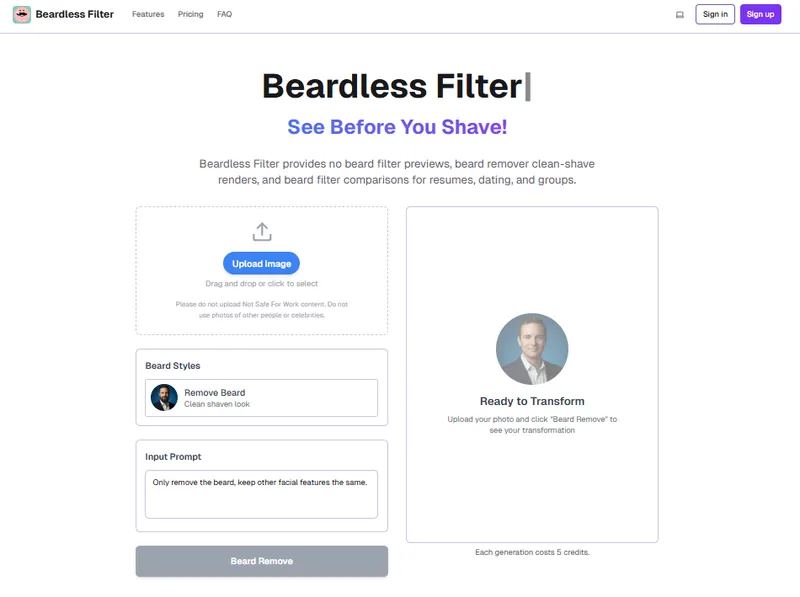
Beardless Filter is an AI-powered online tool that lets you see how you would look without a beard or with different facial hair styles by uploading a photo and instantly generating a realistic clean-shaven version.
What is Beardless Filter?
Beardless Filter is a web-based AI tool that takes a clear, front-facing portrait as input and produces a high-quality, realistic image of the same person without facial hair. It runs entirely in the browser with no software download required, and is developed and maintained by the team at beardlessfilter.org.
Key Features
- AI-Powered Facial Mapping — Analyzes your unique jawline structure before removing beard hair to ensure the result matches your facial contours for realistic shape matching.
- Realistic Skin Texture Recreation — Generates natural-looking skin with subtle shadows and pores where the beard was, avoiding the flat, artificial look of basic filters.
- High-Fidelity Rendering — Produces crisp, high-resolution output images without watermarks, suitable for profile pictures and sharing.
- Before/After Comparison — Each result is presented alongside the original photo with clear labeling, making it easy to evaluate the change.
- 3-Step Workflow — Upload a photo, select a style or prompt, then download the result — no account or sign-in required.
- No Sign-In or Payment Required — All features are accessible for free without creating an account or entering billing information.
Who is it for?
- Professionals updating LinkedIn or corporate profiles — Get a clean-shaven look instantly to present a polished, trustworthy image for job applications or networking.
- Individuals considering shaving — Preview the no-beard look before making a permanent change, avoiding regret from an impulsive shave.
- Social media content creators — Generate surprising “what-if” transformations of celebrities or yourself for viral posts and engagement.
- Family historians and gift-givers — Create “de-aged” photos of relatives by removing beards from old pictures for unique gifts or family throwbacks.
What can you do with Beardless Filter?
- Professional profile polish — Remove your beard for a corporate-ready headshot to use on LinkedIn, resumes, or company websites.
- See before you shave — Experiment with different mustache styles or a clean-shaven look without committing to a razor.
- Create viral family throwbacks — De-age photos by removing beards from old pictures of dad or grandpa for surprising and heartwarming results.
- Personal grooming guide — Visualize various facial hair styles before visiting the barber, helping you communicate your preferred look.
How does Beardless Filter work?
The process takes three simple steps: (1) Upload a clear, front-facing portrait; (2) Select a beard style or enter a prompt to guide the AI; (3) Download the generated image by right-clicking on the result. The entire generation completes in seconds and photos are not stored long-term.
Pricing
Beardless Filter is completely free to use with no account creation, no sign-in, and no billing flow. All features are accessible without payment or subscription.
FAQ
Can I use the photo for a passport or visa?
No. Official regulations prohibit digital alterations from beard-removal tools that change your core facial appearance, so photos produced by Beardless Filter are not suitable for official documents.
Will my photos be saved?
Your uploaded photos are processed in real-time and are not stored long-term. After the image is generated, it is only available for immediate download and is not retained on the server.
Do I need an account to read the site?
No. The site is content-first, meaning all guides, examples, and blog articles are fully accessible without signing in or creating an account.
Is there still a checkout or subscription flow?
No. All pricing and checkout elements have been removed from the site. Visitors can browse and use the tool without any payment prompts.
How long does generation take?
Typically, the tool generates an image in seconds. For best results, use a well-lit, front-facing photo.


