
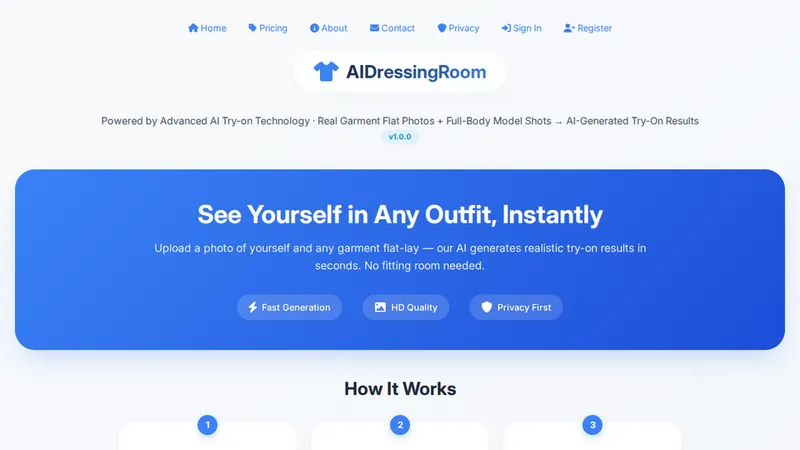
AIDressingRoom is a web-based AI try-on tool that generates realistic photos of you wearing uploaded garments, replacing the need for a physical fitting room.
What is AIDressingRoom?
AIDressingRoom is an AI-powered virtual dressing room that runs entirely in the browser. It takes a full-body model photo (JPG/PNG, 150–4096px, 5KB–5MB, single person) and a garment flat-lay image (e.g., top, bottom, dress, or jumpsuit) as inputs, then outputs a photorealistic try-on image in seconds. The tool supports top-only, bottom-only, full-set, and dress try-ons. The service is hosted at aidressingroom.xyz and offers paid plans; free users can upload but cannot generate results.
Key Features
- Fast Generation — AI produces try-on results in seconds, with output resolution options matching the original image, 576×1024, or 720×1280.
- HD Quality — All paid generations deliver HD output images.
- Privacy First — The service states privacy as a priority; no explicit detail on data handling is given on the homepage.
- Multiple Garment Types — Supports tops, bottoms, dresses, and full outfits; each requires a specific flat-lay photo (top/dress flat, bottom flat, dress/jumpsuit).
- Flexible Input — Model photos can be uploaded as files or via URL; garment photos must be flat-lay shots without folds or obstructions.
- Clear Image Specs — Model photo must be 150–4096px and 5KB–5MB, single person, full-body; garment images should be single garments fully visible.
- Pay-per-use Credits — Generations are priced per credit: $1 buys 5 generations, or choose packs from $4.99 to $39.99 for 50–500 generations.
- 24-hour Links — Generated image links are valid for 24 hours, after which they expire.
Who is it for?
- Online shoppers: Preview how clothes will look on your own body before buying.
- E-commerce sellers: Show models wearing your products without expensive photoshoots.
- Fashion designers/creators: Quickly visualize garment designs on a real person.
What can you do with AIDressingRoom?
- Personal virtual try-on: Upload a selfie and a garment photo to see exactly how the item fits you, without visiting a store.
- Outfit planning: Combine different tops, bottoms, and dresses to build and preview full outfits. (Note: the homepage currently shows "Top only" mode, but the service lists support for all types.)
- Model imagery generation: Sellers can generate images of clothing on a single full-body model photo, aiding catalog creation.
How does AIDressingRoom work?
The homepage describes a three-step process: (1) upload a full-body model photo or provide a URL, (2) choose garments from top, bottom, dress, or full-set categories and upload the corresponding flat-lay photo, (3) click "Generate AI Try-On" to receive a realistic result. Output resolution can be set to match the original image, 576×1024, or 720×1280. The current "Top Only" mode replaces only the model's top garment.
Pricing
Pricing is pay-per-use. $1 gives 5 generations ($0.20/gen). Starter Pack $4.99 for 50 generations ($0.10/gen), Pro Pack $14.99 for 150 generations ($0.10/gen) with priority processing, Business Pack $39.99 for 500 generations ($0.08/gen) with priority processing. All packs have 30-day validity. Free users cannot generate try-on images; a subscription is required.
FAQ
Is AIDressingRoom free?
No. Free users can upload and preview images but cannot generate try-on results. A paid plan or credit pack is required to create AI try-on images.
What are the image requirements?
Model photos must be JPG/PNG, 150–4096px, 5KB–5MB, showing a single full-body person facing forward. Garment photos must be flat-lay shots without folds, obstructions, or multiple garments.
How long are generated image links valid?
Generated image links are valid for 24 hours from creation.
Can I use AIDressingRoom on mobile?
The service is a website; while it likely works on mobile browsers, there is no dedicated mobile app.


