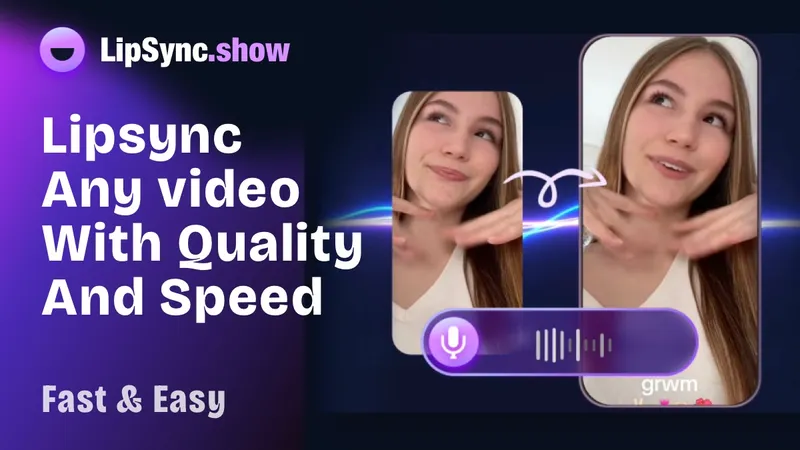
LipSync.show is an online AI lip-syncing tool that makes any video character speak a new audio track with natural mouth movements, directly in your browser.
What is LipSync.show?
LipSync.show is a web-based AI lip sync service that takes a video containing a human face speaking and an audio file with new speech, then produces a new video where the mouth movements match the new audio. It runs entirely online, so you only need a browser — including on mobile — and no video editing skills are required. The service is positioned for content creators, marketers, and e-commerce sellers who need quick video retalking.
What makes LipSync.show stand out?
The platform stands out by offering three specialized AI models, each tuned for different workflow needs.
- Latent Sync — ultra-fast processing for quick projects, supporting videos up to 5 minutes long.
- Kling Lip Sync — automatically extends the video when the audio is longer, with no maximum length limit, ideal for long audio tracks.
- Sync V1.9 — highest quality output with 5 loop modes, supporting videos up to 10 minutes for full control.
Additional concrete features:
- Supported formats — accepts video files in mp4, mov, webm, m4v, and gif; audio in mp3, wav, ogg, aac, and m4a.
- Fast processing — a 1080p video under 5 minutes typically takes about 5 to 8 minutes to process.
- Freemium to start — new registered users receive 20 free credits (about 20 seconds of video) to try before buying a subscription.
Who should use LipSync.show?
LipSync.show serves anyone who needs to change the spoken audio in an existing video without reshooting.
- Content creators making TikTok or YouTube Shorts — repurpose an existing clip with a new voiceover and export directly for short-form platforms.
- E-commerce sellers — quickly change the audio on product videos to match different markets or promotions without reshooting.
- Podcasters and news producers — turn audio episodes into video clips where a presenter appears to speak the script, as shown in the site's blog articles.
- Marketers — create localized ad versions or product explainers with a different voice track while keeping the original visuals.
What can you do with LipSync.show?
The tool directly supports three practical use cases.
- Video repurposing: Upload a video of a person speaking, add a new script in audio form, and download a matched clip for TikTok, YouTube, or Instagram.
- Long-form audio adaptation: Use Kling Lip Sync when the audio is longer than the video — the tool extends the video automatically, removing the need for manual trimming.
- Multi-language content: Swap the original speech with a translated audio track to create localized versions of the same footage.
How does LipSync.show work?
The process happens in three simple steps: upload, process, and export.
- Upload your source video (must contain a human face speaking) and your target audio file.
- The AI analyzes facial features in the video frames and aligns them with the phonemes of the new speech to generate realistic lip movements.
- Once processing finishes, preview the result in your browser and download the new video.
Pricing
LipSync.show uses a freemium model with three paid tiers.
- New users get 20 free credits as a trial, then can subscribe.
- Base — $9 per month, 600 credits (about 600 seconds), supports videos smaller than 50 MB and audio smaller than 10 MB.
- Premium — $19 per month, 1800 credits, adds loop mode selection, private video visibility, video up to 100 MB, audio up to 20 MB, and unlimited text-to-audio.
- Pro — $69 per month, 9600 credits, unlimited video/audio upload, unlimited text-to-audio, permanent cloud storage.
Credits are not charged if a lip sync task fails.
Frequently asked questions
What video and audio formats does LipSync.show support?
Video files can be mp4, mov, webm, m4v, or gif. Audio files can be mp3, wav, ogg, aac, or m4a. Both uploads happen in the same workflow, and the site accepts these formats for all three AI models.
Is LipSync.show free to use?
New registered users receive 20 free credits as a trial benefit, enough to generate a short test video. After that, you need to buy a subscription (Base, Premium, or Pro) to continue generating videos. Failed tasks do not consume credits.
Can I use LipSync.show for commercial purposes?
Yes. The page explicitly states that lip sync videos created with LipSync can be used for commercial purposes, including advertisements, promotional content, and product explainer videos.
How long does the lip sync process take?
For a 1080p video under 5 minutes, typical processing time is about 5 to 8 minutes. Lower resolution and shorter clips process faster.
Do I need any video editing skills to use LipSync?
No. The workflow is simply upload video, upload audio, and click confirm. The AI does the rest, and the interface is designed to be usable by anyone.