
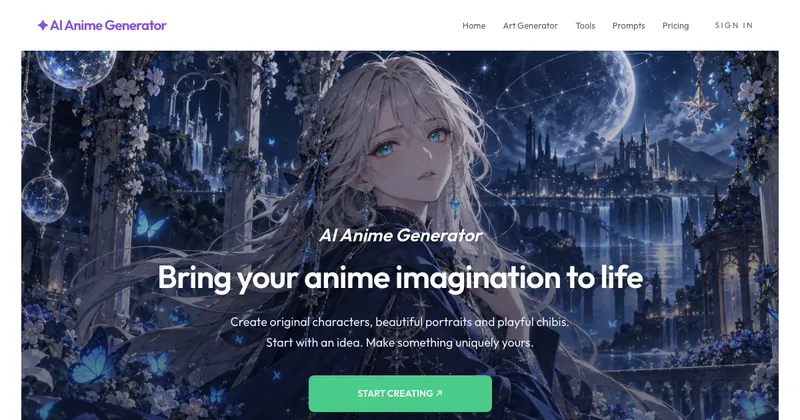
AI Anime Generator is a web tool that converts a text description or an uploaded photo into anime-style illustrations, offering nine named style presets, five aspect ratios and a credit-based generation model.
What is AI Anime Generator?
AI Anime Generator is a browser-based image generator that produces anime artwork from either a written prompt or an uploaded reference photo. You describe a subject and scene, pick a style such as Chibi, Waifu, Retro or Cyberpunk, choose an aspect ratio, and the service renders an illustration you can open and save. Inputs can be text or a JPEG, PNG or WebP file up to 10 MB; sign-in is through Google, and generation is paid for with account credits rather than a subscription. The page does not name a company or developer behind the site.
What makes AI Anime Generator stand out?
- Nine named style presets — Anime, Chibi, Waifu, Retro, Pixel, Realistic, Fantasy, Cyberpunk and School, each paired with a prewritten gallery prompt covering subject, lighting, background and a "no text" instruction that you can load and edit.
- Two input modes in one generator — write an original description, or upload a JPEG, PNG or WebP image up to 10 MB and add optional change instructions; photo editing uses the original Nano Banana model.
- Separate model and style choices — the model renders the image while the style guides its look, and each model version lists its own credit cost (the default Nano Banana runs at 10 credits per image).
- Five aspect ratios — 1:1, 4:3, 3:4, 16:9 and 9:16, though available ratios can differ by model.
- Content screening with credit return — prompts and generated images are checked before delivery, and if generation or output checks fail the service attempts to return reserved credits and reports whether the return was confirmed.
- Specialised sub-generators — dedicated chibi, waifu, manga (four-panel page), pixel art converter, square avatar and full-body character tools, plus a Halloween character generator.
Who should use AI Anime Generator?
- Hobbyist character designers: draft an original character from a description like an indigo-haired astronomer with a brass telescope, iterating on one option at a time to see what changed.
- Story and comic writers: turn a short scenario into a four-panel manga page with the manga generator.
- Social media and profile users: produce a square 1:1 anime avatar or a 16:9 wallpaper-style illustration.
- People with an existing photo: convert a clear portrait of a subject against a simple background into an anime interpretation, with or without extra prompt text.
What can you do with AI Anime Generator?
- Fan artists: start from a gallery prompt such as a retro pilot at a spaceport in 1990s cel-animation style, then edit the subject and lighting to make the scene original.
- Profile creators: generate a character portrait in Waifu or Realistic style at 1:1 for avatars.
- Worldbuilders: use Fantasy, Cyberpunk or Pixel presets to sketch floating-island or rainy-neon-city scenes for a story setting.
- Photo owners: upload a well-lit photo and request an anime transformation while describing which features to keep.
How does it work?
- Choose a starting point: write an idea, load a gallery prompt, or add a photo where photo editing is available.
- Pick a style and aspect ratio, check the credit cost shown on the generation button, then sign in with Google.
- Keep the page open while the image is generated, screened and loaded; open the approved result to save it, or adjust the idea for another run.
Pricing
AI Anime Generator is freemium: new accounts get 30 bonus credits once, valid for 7 days, which at the default 10-credit cost covers 3 images. Credit packs are sold separately, purchased credits never expire, and no subscription is required.
FAQ
Is AI Anime Generator free?
New accounts receive 30 bonus credits valid for 7 days, enough for 3 images at the default 10-credit price. After that you buy credit packs; purchased credits do not expire and no subscription is required.
Does photo-to-anime keep the same face?
Not guaranteed. A transformation can change facial details, clothing and background, so the page advises using a clear reference photo and describing the features you want preserved. Only upload photos you have permission to use.
Can I use the generated images commercially?
The site does not guarantee exclusive ownership or commercial rights; you must check the selected model's terms plus the rights to your input and any reference photo.
What happens if my prompt is blocked or generation fails?
Inputs and outputs are screened before delivery, and checks run before credits are reserved. If generation or output checks fail, the service attempts to return reserved credits and reports whether that return was confirmed.


