
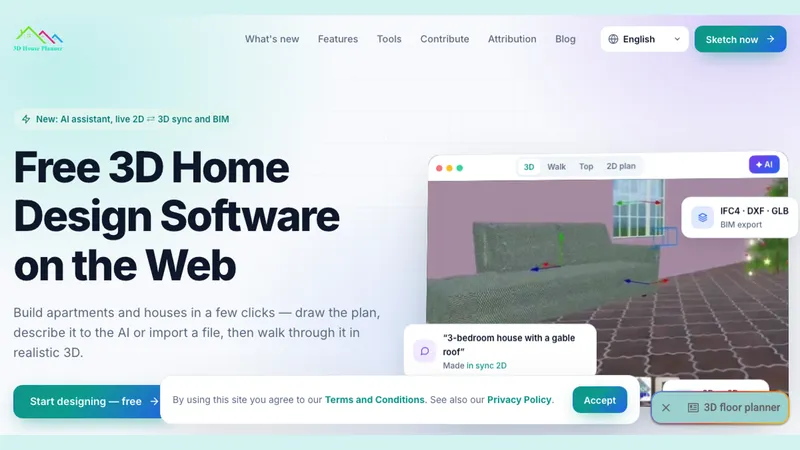
3D House Planner is a free, browser-based home design application that turns 2D wall sketches, AI text descriptions, floor plan images, or imported CAD/BIM files into editable 3D building models with IFC4 data attached.
What is 3D House Planner?
3D House Planner is a web application for designing houses and apartments in 2D and 3D without installing software or creating an account. You feed it wall sketches, a natural-language prompt for its AI assistant, a floor plan photo, or an imported IFC, DXF, GLB, OBJ or STL file, and it produces a navigable 3D model with walls, doors, windows, roofs, terrain and furniture. Finished work can be exported as IFC4, DXF, GLB/glTF, OBJ, STL, SVG, PNG, CSV schedules or JSON, and walked through in first-person view.
What makes 3D House Planner stand out?
- Live 2D and 3D sync — drawing a wall in the 2D plan updates the 3D view, and moving a wall in 3D rewrites the plan, with no separate "Generate" step; sculpting terrain also draws contour lines onto the plan.
- AI design assistant — accepts a prompt such as "3-bedroom house with a gable roof", plus an attached plan, photo or model, and builds walls, doors, windows, floors, roofs and catalog furniture using the editor's own tools so every element stays editable.
- BIM in the browser — walls, slabs, openings and objects carry IFC classes and properties, with IFC4 import and export including property sets, area/volume schedules and budget exported to CSV, and a model check for overlaps, missing hosts and empty levels.
- Five visualization modes — Draft, Balanced, High and Ultra render settings plus AI photo rendering; Ultra adds soft shadows, ambient occlusion, reflections and tone mapping for stronger GPUs.
- Browser-local project storage — projects, autosave and crash recovery are kept in browser IndexedDB, with nothing uploaded to a server, and everything exportable to a file at any time.
- Wide format coverage — imports IFC, DXF, GLB, OBJ, STL and floor-plan images; exports IFC4, DXF, GLB/glTF, OBJ, STL, SVG, PNG, CSV and JSON.
- Scale and content limits — up to 50 floors per project, a catalog of thousands of objects, PBR and Standard materials, and a texture library.
- Companion tools — a standalone 2D planner, a material editor for viewing and retexturing 3D models, and an AI rendering page that turns sketches and photos into interior and exterior renders.
Who should use 3D House Planner?
- Homeowners planning a build or renovation: sketch rooms, drop in doors and windows that cut the walls, and walk the result in 3D before talking to a contractor.
- Architecture and interior design students: produce IFC4 models with property sets and CSV schedules without paying for desktop BIM licences.
- Small design studios: exchange models with CAD and BIM tools via IFC4, DXF and GLB, and run overlap and missing-host checks before handoff.
- Hobbyists and 3D-printing users: import OBJ or STL objects, retexture them, and export STL for printing.
What can you do with 3D House Planner?
- Apartment layout planning: draw or describe a studio or multi-room flat, furnish it from the object catalog, and check circulation in first-person walkthrough mode.
- BIM quantity takeoff: pull areas, volumes and a budget from exported CSV schedules and verify the model with the built-in model check.
- Client presentation: record videos and take snapshots, or generate AI photos of the current camera view for exterior and interior previews.
How does 3D House Planner work?
- Draw walls in 2D or 3D, describe the layout to the AI assistant, or import a plan image, DXF or IFC file.
- Furnish and finish with catalog objects and textures, add doors and windows, roofs, terrain and paths.
- Visualize and share by walking through the model, rendering it, capturing snapshots or video, and exporting to BIM, CAD or 3D printing formats.
Pricing
3D House Planner is free for personal and commercial use, with no login and no watermark on output. The site accepts optional PayPal donations and asks users to leave reviews; no paid tiers are listed.
FAQ
Is 3D House Planner really free?
Yes. The application is free for personal and commercial projects, with no login and no watermark. Donations are optional and go toward new features, site maintenance, bug fixes and catalog updates.
Where are my projects saved?
Projects are stored in your own browser using IndexedDB, with autosave and automatic crash recovery. Nothing is uploaded to the vendor's servers, so work is tied to that browser profile unless you export a file and re-import it later.
Can I open my project in other BIM or CAD software?
Yes. The editor exports IFC4, DXF, GLB/glTF, OBJ, STL, SVG, PNG, CSV and JSON, and imports IFC, DXF, GLB, OBJ, STL and floor plan images, so models can move between BIM and CAD tools.
How does the AI assistant work?
You describe a layout or attach a plan, photo or model, and the assistant builds walls, doors, windows, floors, roofs and furniture using the same editing tools a person uses, so the generated geometry remains editable rather than being a fixed mesh.
Do I need a fast computer?
No. The Draft visualization mode runs on any laptop, while the Ultra mode with real-time reflections and ambient occlusion targets machines with dedicated GPUs.


