

Vehla Review
We've tested Vehla, a native macOS command center combining AI actions, local models, clipboard search, window management, notes, dictation, and extensions.
Author: Turbo0 · July 25, 2026 · Reviews
Welcome to this Vehla review 😊!
Mac power users often assemble a small fleet of utilities: a launcher, clipboard manager, window snapper, menu-bar organizer, note app, dictation tool, and AI assistant. Each one may be good, but the combined subscriptions, shortcuts, permissions, and context switching add up.
Vehla tries to replace that stack with one keyboard-first command center. I reviewed the current Vehla 8.0 build 390 website, public demo, documentation, changelog, pricing, privacy, and security pages. Because Vehla has no free trial, I did not buy or install the paid build, so this review does not claim to measure in-app speed, model quality, or memory use. Let's dive in! 🚀
Getting Started & Vehla First Impressions
Vehla is distributed from its website as a macOS app rather than through the Mac App Store. It requires macOS 15.0 or later and an Apple Silicon Mac, which gives the product a clear technical boundary before you download anything.
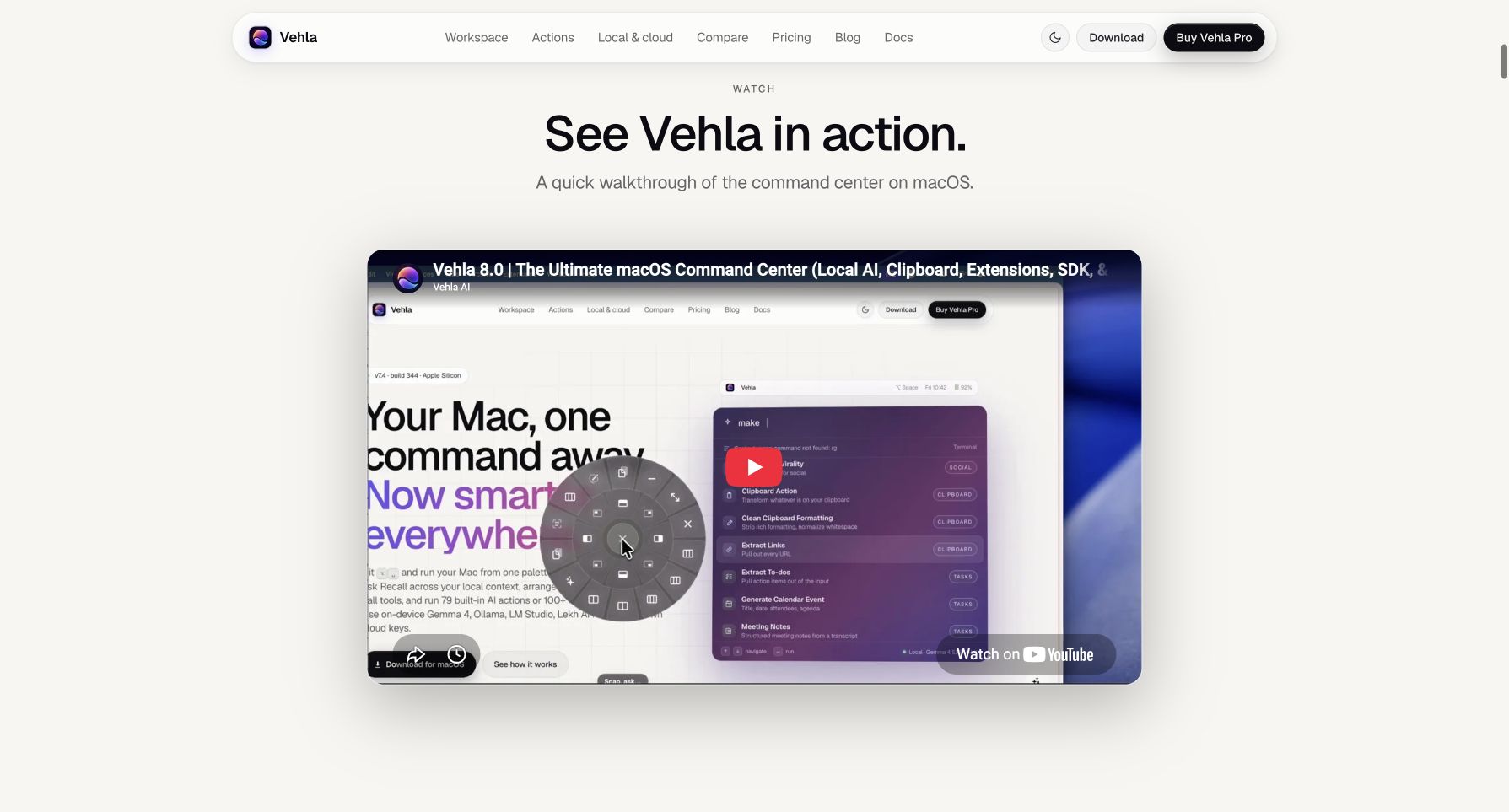 Vehla's public walkthrough shows the command palette, QuickGlass wheel, and keyboard-first workflow on macOS.
The core loop is easy to understand: press Option + Space, type what you need, choose an action, and finish without leaving the current app. The public demo looks coherent for a utility with this many surfaces. With no free trial, the demo and 7-day refund window are your main evaluation tools.
Vehla already has a dedicated page in the Turbo0 product directory, and you can browse more native Mac tools on Turbo0.
Vehla Workspace: Recall, Notes, Canvas & Kanban
Vehla is more than an app launcher. Its workspace includes Notes, Canvas, Kanban, Shelf file staging, Folder Dock, BarKeep menu-bar cleanup, and SnapWheel window layouts.
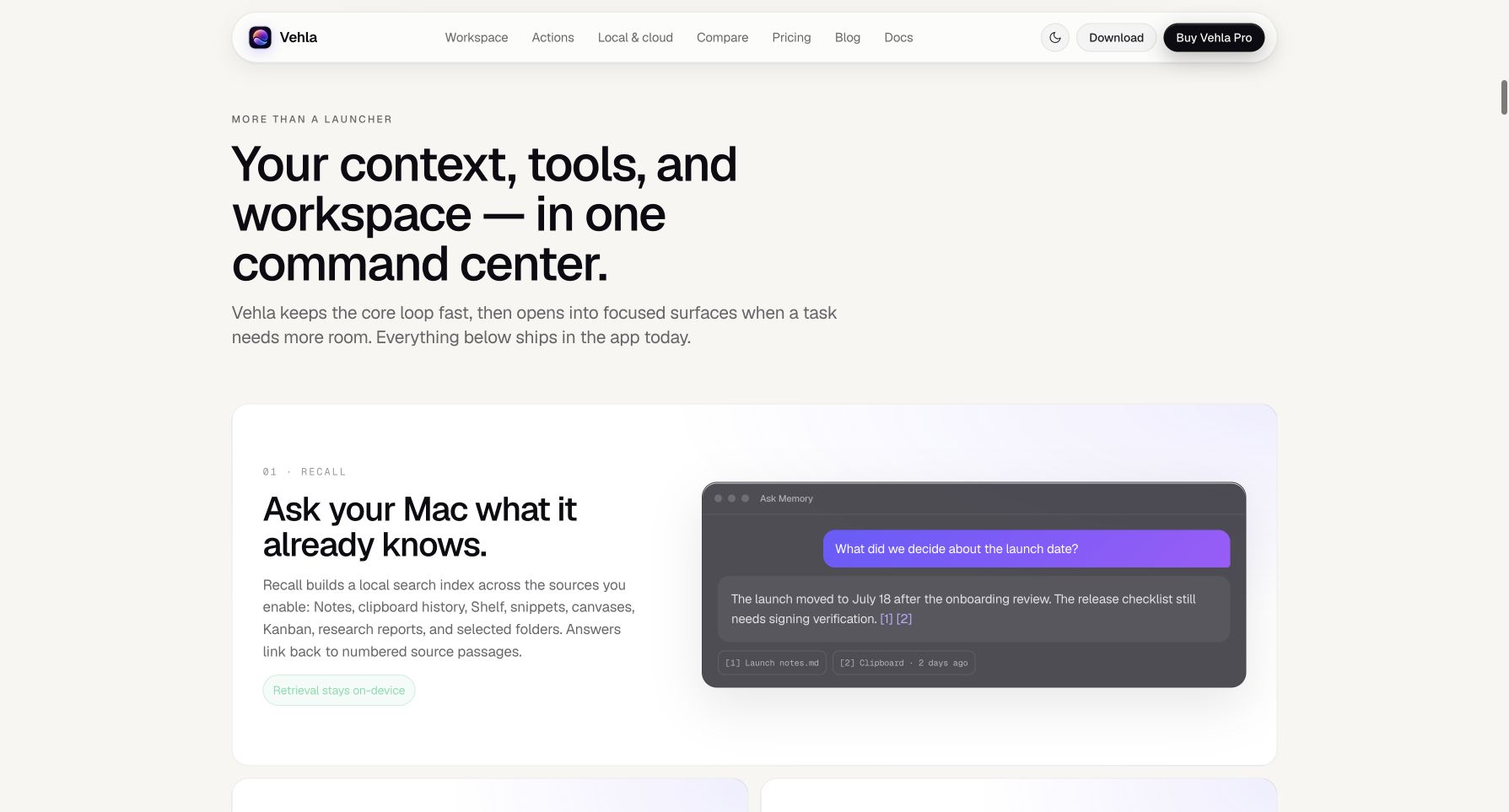 Vehla presents Recall as a local index that answers from enabled notes, clipboard items, files, and workspace sources with citations.
The most distinctive piece is Recall. It indexes only sources you enable—such as Notes, clipboard history, Shelf, canvases, Kanban, reports, and selected folders—then returns answers with numbered source passages. Retrieval stays on the Mac; choosing a cloud model sends the assembled prompt and passages to that provider.
- Capture and organize: Quick Capture, Markdown Notes, Canvas, and Kanban keep work near the palette.
- Retrieve: Recall connects those surfaces instead of leaving separate data silos.
- Act: Shelf, Folder Dock, SnapWheel, and BarKeep turn context into practical Mac controls.
That integrated context loop is Vehla's strongest argument against buying several focused utilities separately 💡.
Vehla AI Actions, QuickGlass & Flow Dictation
Vehla's site currently describes 70+ built-in AI actions and 100+ native commands. I am using “70+” because different parts of the official site show slightly different exact totals, but the overall range and categories are clear.
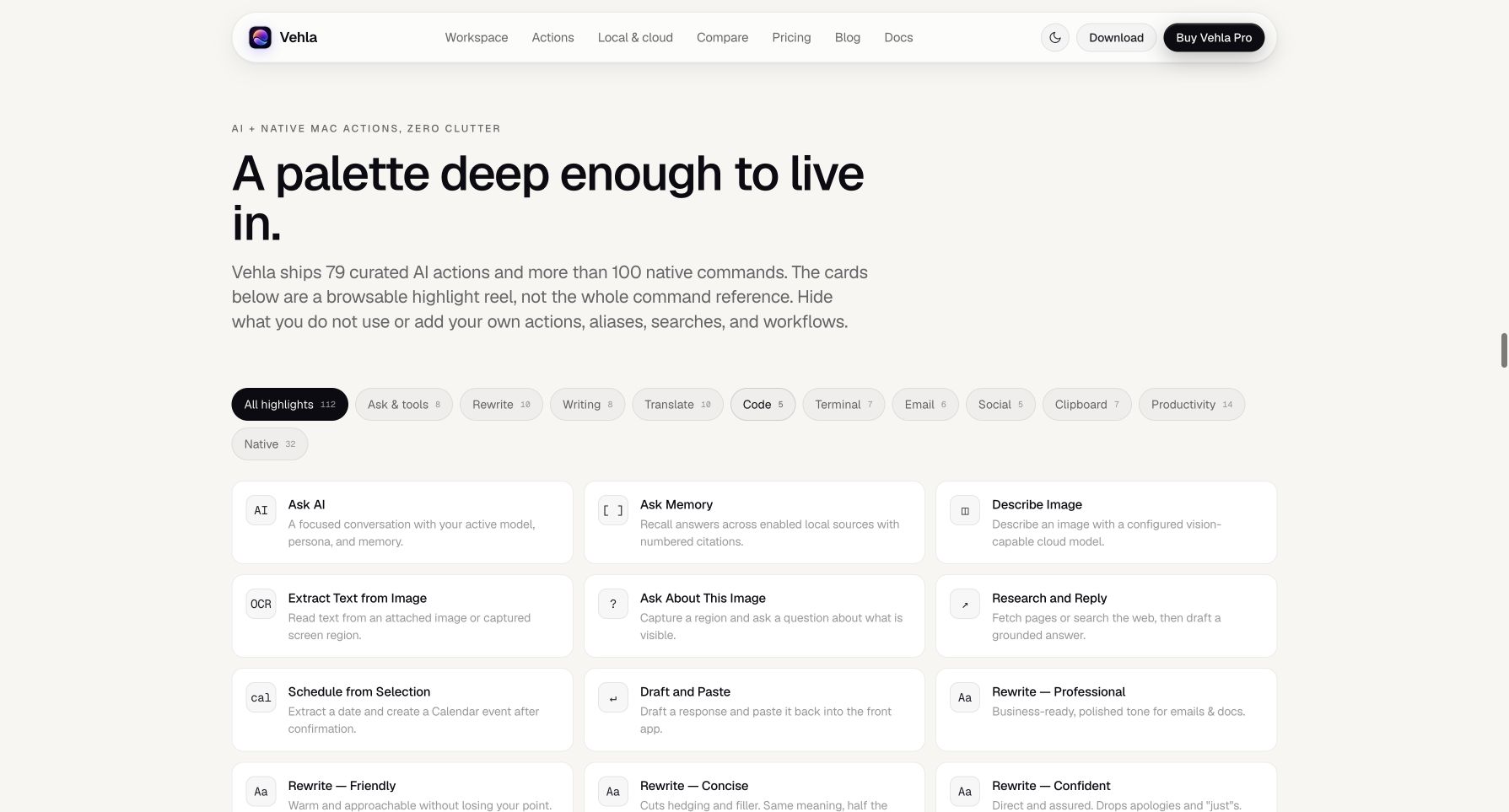 Vehla groups AI, writing, translation, code, terminal, email, clipboard, and productivity actions in one searchable palette.
The actions cover writing, translation, code, shell commands, calendar and reminders, OCR, Homebrew, file search, processes, Shortcuts, and calculations. You can hide commands, add aliases, create actions, or install signed Store extensions.
Two v8.0 features make the palette feel less like a destination and more like a layer over macOS:
- QuickGlass: Select text in another app and open a floating bar for Read Aloud, Magic Rewrite, summaries, translations, and custom actions.
- Flow: Hold Fn, speak, release, and paste the transcription using Apple Speech or models such as Parakeet, Nemotron, and Whisper.
- Store and SDKs: Add permissioned TypeScript/JavaScript or Swift commands.
This looks compelling for people who move text between apps. The real test is how consistently QuickGlass and Flow behave across Electron apps, browsers, IDEs, and native software.
Vehla Local AI, BYOK & Privacy Boundaries
Vehla offers several model routes instead of one opaque AI subscription. Local mode runs Gemma 4 and compatible MLX models. Cloud options use your own OpenAI, Claude, Gemini, DeepSeek, or OpenRouter keys; Ollama, LM Studio, and Lekh AI Pro provide local or companion routes.
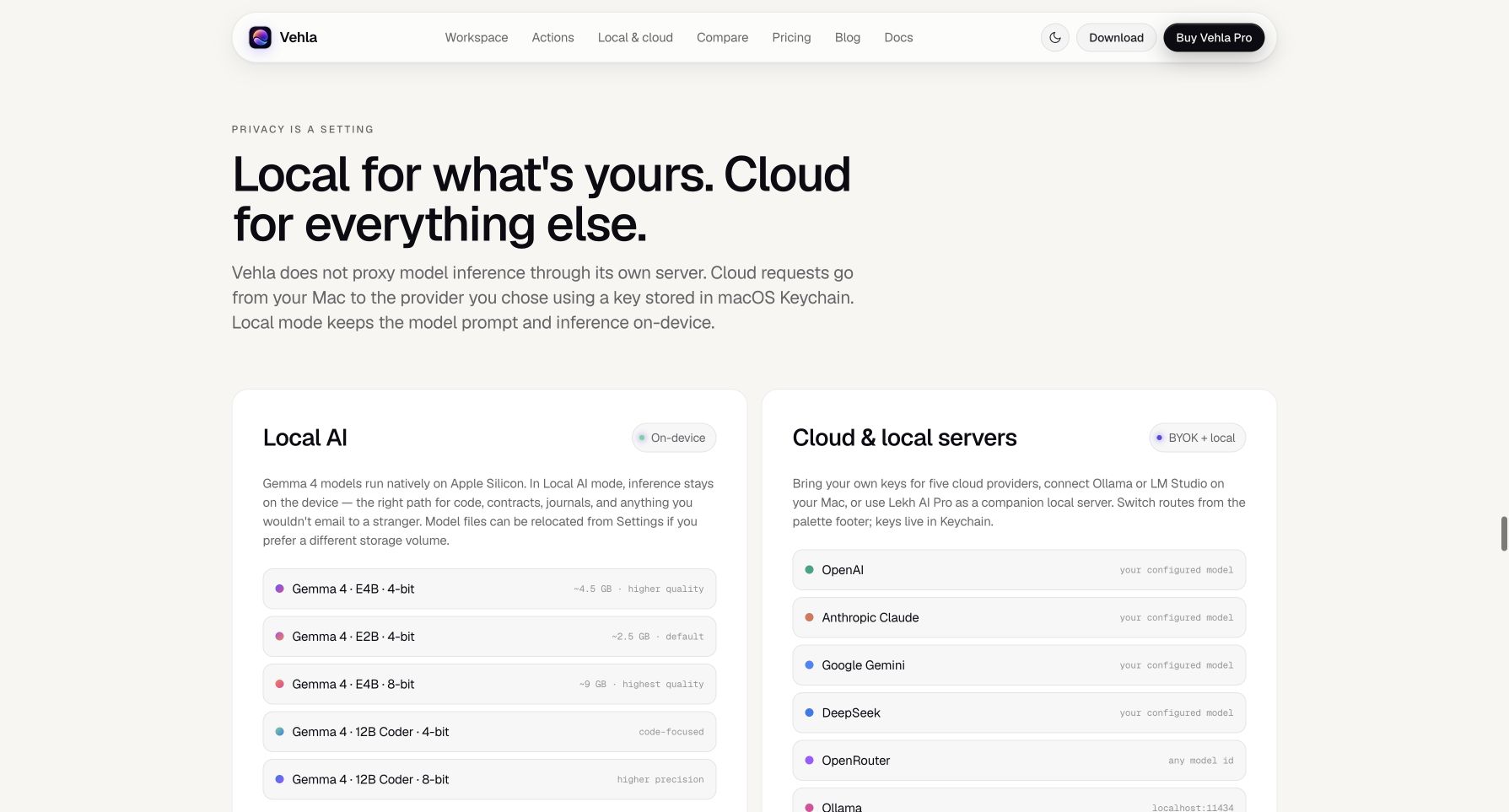 Vehla separates on-device Gemma and MLX models from BYOK cloud providers and local servers.
According to Vehla's security documentation, keys live in macOS Keychain, local prompts and inference stay on-device, and cloud requests go directly to your chosen provider rather than through a Vehla inference proxy. That does not make every workflow offline.
Cloud AI, web search, MCP servers, licensing, and updates still need a network. Providers and MCP tools may receive the context you send. Feature-specific macOS permissions can include Accessibility, Input Monitoring, Screen Recording, microphone, and personal-data access. Vehla documents these boundaries; independent security review and reproducible builds remain future work.
If local-first AI is your priority, Vehla is more flexible than a cloud-only assistant. If you want another local Mac workflow to compare, Nextline on Turbo0 explores a related cross-app writing direction.
Vehla Alternatives: Raycast, Alfred & Focused Mac Tools
Vehla competes most directly with broad launcher platforms such as Raycast, Alfred, and SuperCmd, but its scope also overlaps with focused apps such as Maccy, Magnet, Yoink, Bartender, Dropover, TextSniper, and dedicated dictation tools.
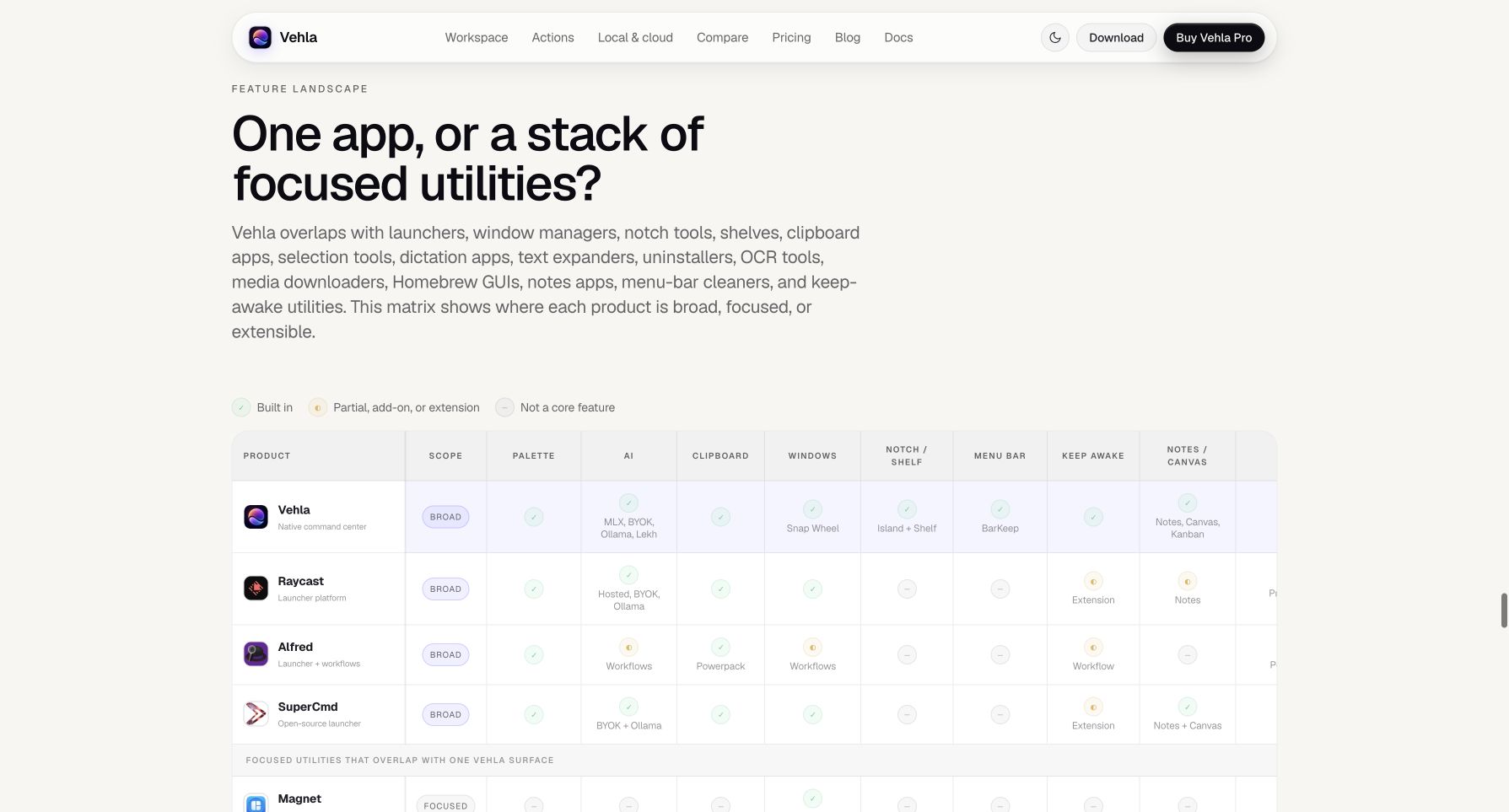 Vehla's own feature matrix compares its broad built-in toolkit with Raycast, Alfred, SuperCmd, and focused Mac utilities.
Vehla's advantage is breadth under one lifetime license. Raycast has a much more mature extension ecosystem; Alfred has years of community workflows and a customizable launcher core; focused utilities can remain simpler and deeper at one job.
The comparison is vendor-produced, so read it as a scope map, not an independent winner's table. Vehla makes sense when consolidation matters; replacing a carefully tuned launcher and specialist tools may not 👀.
Vehla Pricing, License & Requirements
Vehla has one paid plan rather than a free tier or recurring subscription.
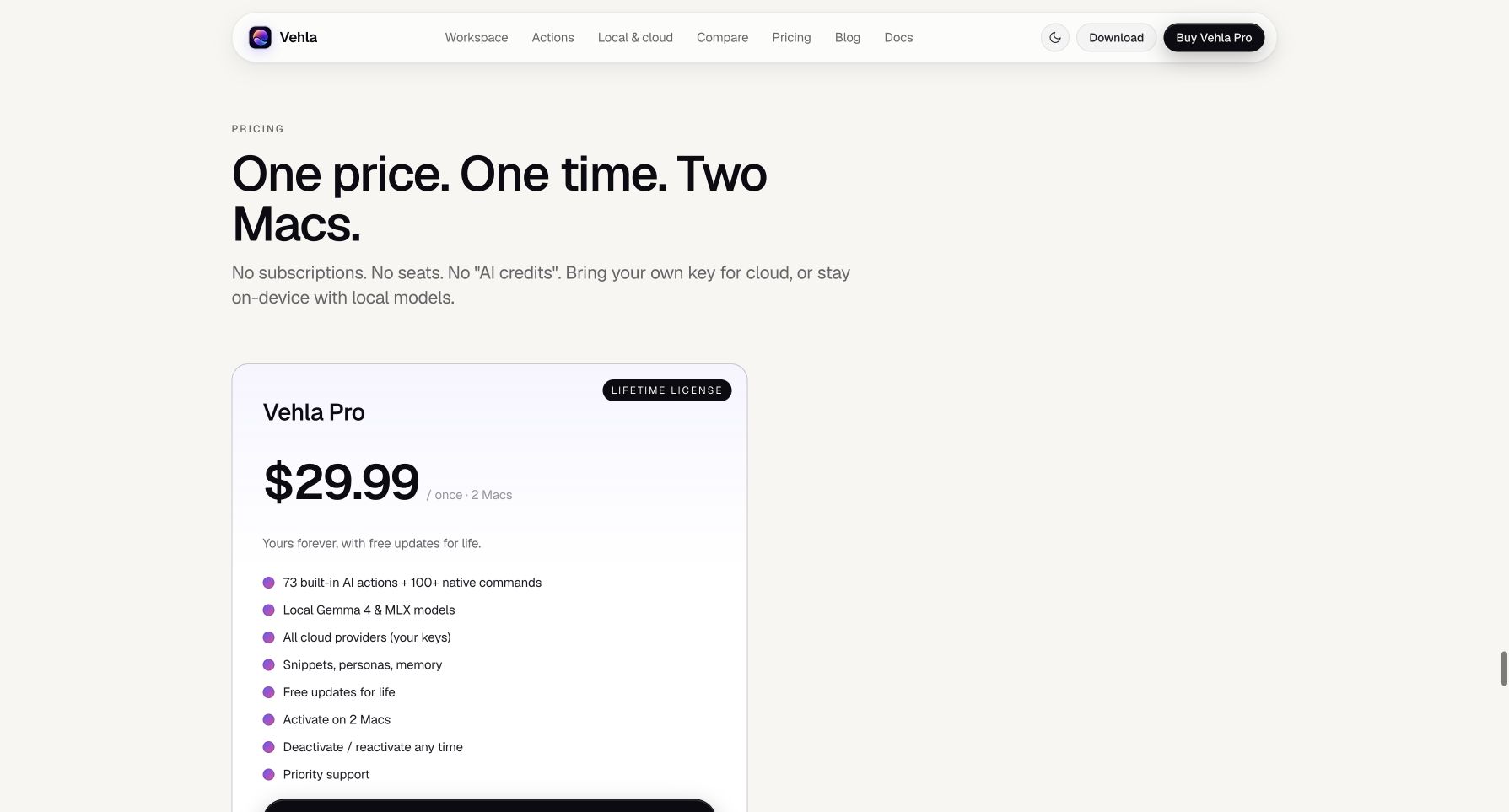 Vehla Pro is listed at $29.99 once for activation on two Apple Silicon Macs.
- Vehla Pro ($29.99 one-time): A perpetual license for up to two Macs, free updates for the life of the product, all built-in AI and native actions, local models, cloud-provider support with your own keys, and priority support.
- Free trial: None. The current FAQ explicitly says Vehla does not offer one.
- Refund policy: A full refund is available within 7 calendar days of purchase; the license is revoked when refunded.
- Additional costs: Vehla does not sell AI credits, but any cloud-model usage is billed under your own provider account.
The price is reasonable if Vehla replaces two paid utilities, and the lack of another subscription is welcome. The tradeoff is relying on the demo and refund policy instead of a limited free build.
Conclusion
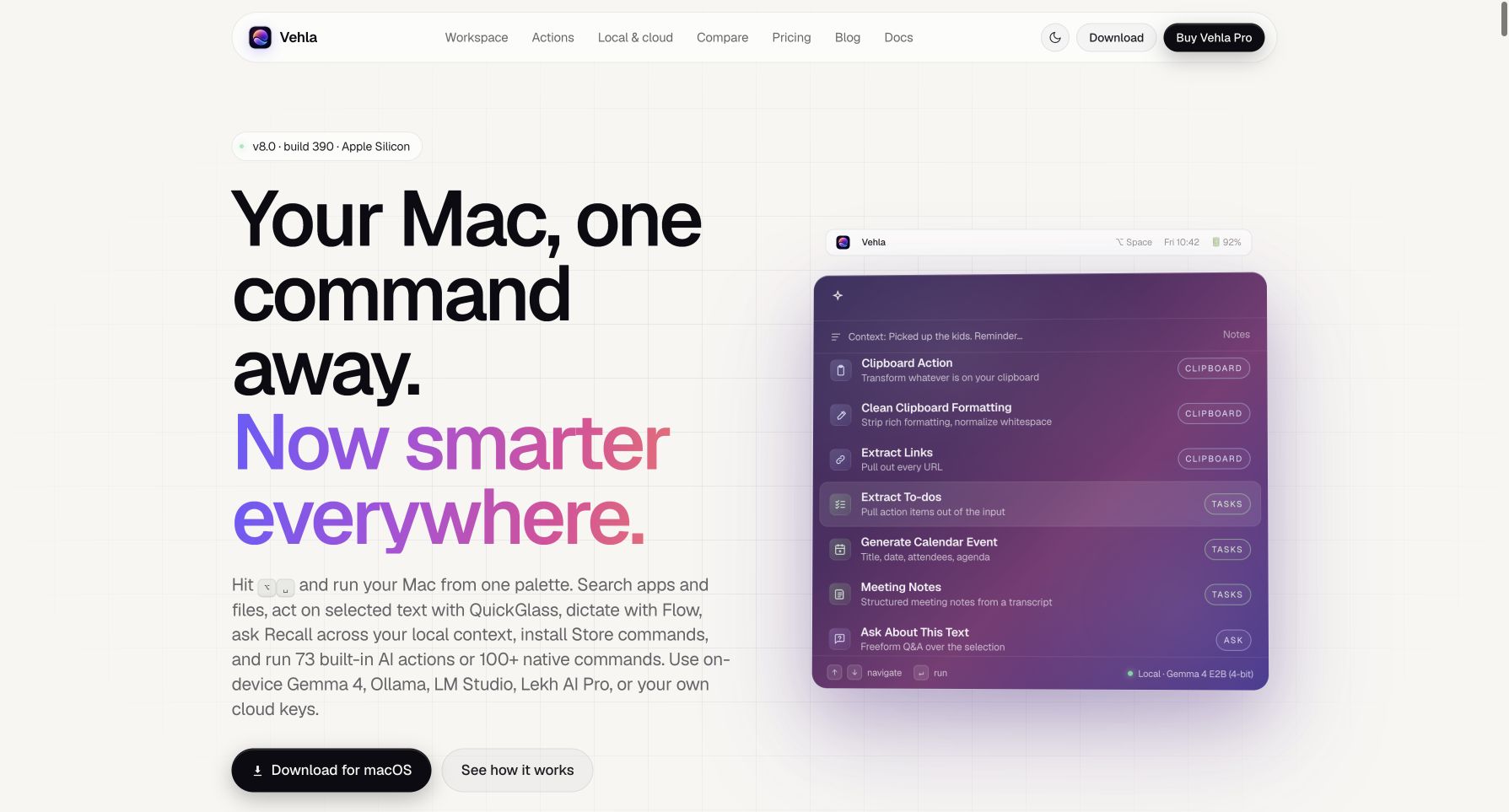 Vehla 8.0 presents one command palette for Mac actions, local context, AI, and workspace tools.
That's the end of this Vehla review!
Vehla has a coherent thesis: keep the keyboard-first palette fast, then open deeper surfaces only when a task needs room. It best fits Mac power users who want to consolidate several utilities and are comfortable evaluating permissions and configuring models or cloud keys.
What I loved:
- 🚀 One command surface: Native Mac actions and AI workflows share the same keyboard-first loop.
- 🧠 Local-first options: Gemma, MLX, Ollama, and LM Studio provide credible alternatives to cloud-only AI.
- 🔎 Recall with sources: Local retrieval links answers back to the notes, clipboard items, and files you enabled.
- 🎙️ In-place interaction: QuickGlass and Flow are designed to reduce copy-paste trips to a chatbot tab.
- 🧩 Broad Mac toolkit: Clipboard, windows, Shelf, BarKeep, Notes, Canvas, Kanban, and Purge live under one roof.
- 💳 Simple license: One payment covers two Macs and lifetime product updates.
Points to consider:
- 🧪 No free trial: You must buy first and use the 7-day refund policy if it is not a fit.
- 🍎 Narrow platform support: Vehla requires Apple Silicon and macOS 15.0 or later.
- 🔐 Trust still matters: Local processing is promising, but cloud providers, MCP servers, powerful permissions, and the absence of a completed independent audit remain part of the decision.
If you want one native command center instead of a growing stack of Mac utilities, Vehla is worth a close look—especially if local AI, BYOK, and a lifetime license matter to you. Watch the public demo, confirm your Mac meets the requirements, and use the refund window to validate the workflows that matter most 🚀.